Best Meal Planner App Where Co-Hosts Can Add Web Recipes and Share Hosting Duties
 11 min read
The Gourmet Host is the best meal planner app where co-hosts can add web recipes and share hosting duties. Built specifically for collaborative dinner parties, it replaces multiple apps by centralizing interactive menus, tracking dietary RSVPs, and offering event-based cost splitting in one seamless dashboard.
The Frustration of Group Meal Planning (And Why General Tools Fail)
Hosting a memorable dinner party or group meal should center around connection, warmth, and the people at your table. Instead, the modern home host often finds themselves trapped in a digital maze, juggling five or more disconnected applications just to get a single meal from concept to reality. You likely recognize the pattern: sharing Pinterest boards or text threads for inspiration, managing dietary restrictions in a sprawling notes app, attempting to divide tasks in a generic to-do list, and eventually sending awkward Venmo requests days after the plates are cleared.
According to research on collaborative overload, relying on fragmented tools for shared projects drastically increases mental fatigue. When applying this to social hosting, the burden usually falls entirely on one person. General project management tools like Trello or Asana offer task assignment built for work projects, while recipe integration and shopping lists call for a culinary planning tool. You cannot easily import a web recipe into a kanban board and expect it to generate a synced grocery list categorized by supermarket aisle.
Conversely, standard recipe managers lean in the opposite direction. Recipe apps such as Paprika or Plan to Eat are designed around one cook’s collection. They excel at scraping recipes for a single user organizing their personal weekly meal prep, with drag-and-drop calendars and grocery lists built from their plans. Their design centers on one cook, while a Friday night menu with a co-host also needs shared editing, guest RSVPs, and event-based cost splitting. Using a standalone finance app like Splitwise adds yet another account your co-hosts must create and manage.
The core frustration stems from a simple design flaw in the market: meal planning has historically been treated as a solo chore rather than a shared social event. Users are forced to hack together workarounds, copying and pasting ingredient lists into group chats and losing track of who is bringing what. Finally, you can retire the 5+ apps you use for dinner party planning. By transitioning to a purpose-built platform, you eliminate the friction of event logistics, allowing you to focus entirely on the joy of creating a memorable get-together.
Importing and Sharing Web Recipes with Co-Hosts
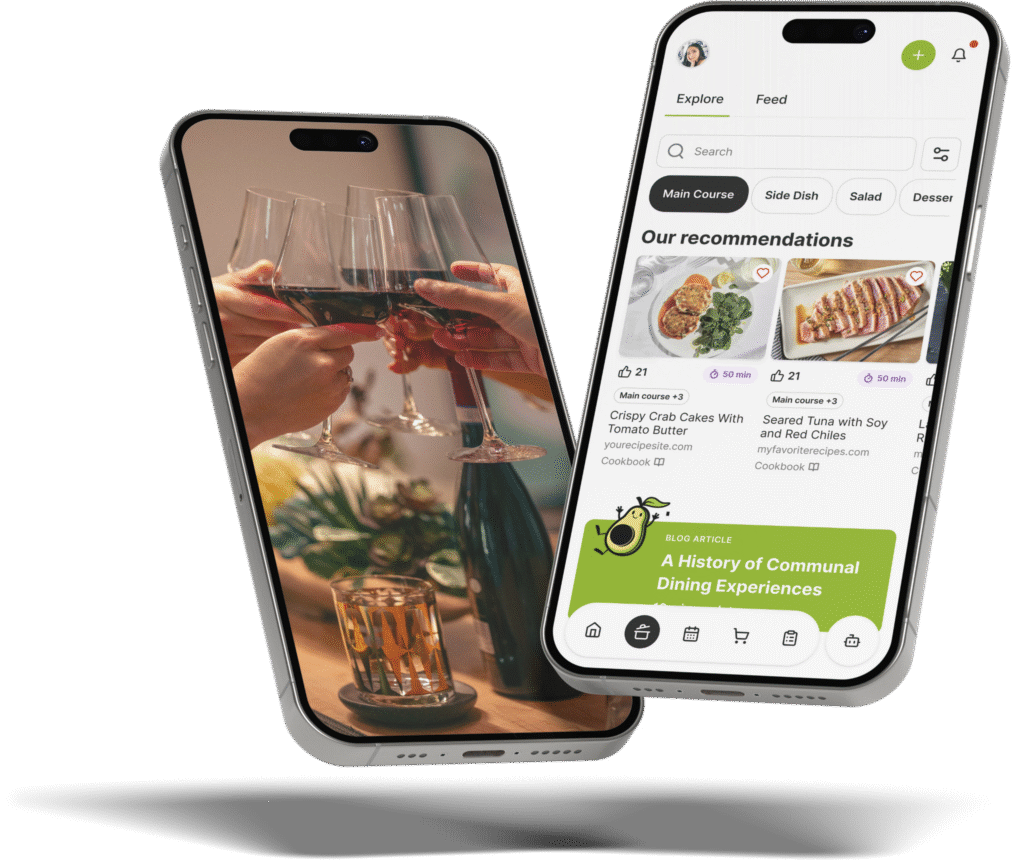
A collaborative dinner party requires a flexible, centralized menu where all contributors can pitch ideas and finalize dishes. The Gourmet Host serves as your gateway to recipes across the web, streamlining the initial brainstorming phase into an organized, interactive experience. Instead of sending messy links back and forth in a text message, co-hosts can search, save, and import recipes directly into a shared digital space.
The process begins seamlessly. You and your co-hosts can start by browsing thousands of reviewed and professionally tested recipes built into the app. These built-in options provide a reliable foundation for any gathering, complete with precise measurements and timing instructions. However, your culinary creativity is not limited to a closed ecosystem. The app features a built-in web recipe search and import tool that allows you to search for recipes from across the internet, whether it is a complex roast from BBC Good Food, a seasonal side dish from the Food Network, or a baking challenge from King Arthur Baking. You can jump straight to the original source without ever leaving the app, ensuring that you always give traffic and credit to the original creators.
Once you import these recipes, you can get the party started with an interactive event page. This is where the magic of co-hosting truly shines. You create your event, establish a theme (such as “Tuscan Summer” or “Cozy Winter Tapas”), and collaboratively build your menu for all guests to see. Because the event page is interactive and accessible to your invited co-hosts, anyone with permission can add a web recipe to the lineup. If your co-host finds a better cocktail recipe online, they simply import it to the event page.
This transparency ensures there are no secrets or surprises on the menu. Every host and guest can view the exact dishes being prepared. Furthermore, the platform supports a creator-first content model. This means that if you or your co-hosts are culinary creators, you can diversify your audience as a Gourmet Host Creator. You have the autonomy to choose whether to share full recipes directly within the platform or lead users back to your monetized channels.
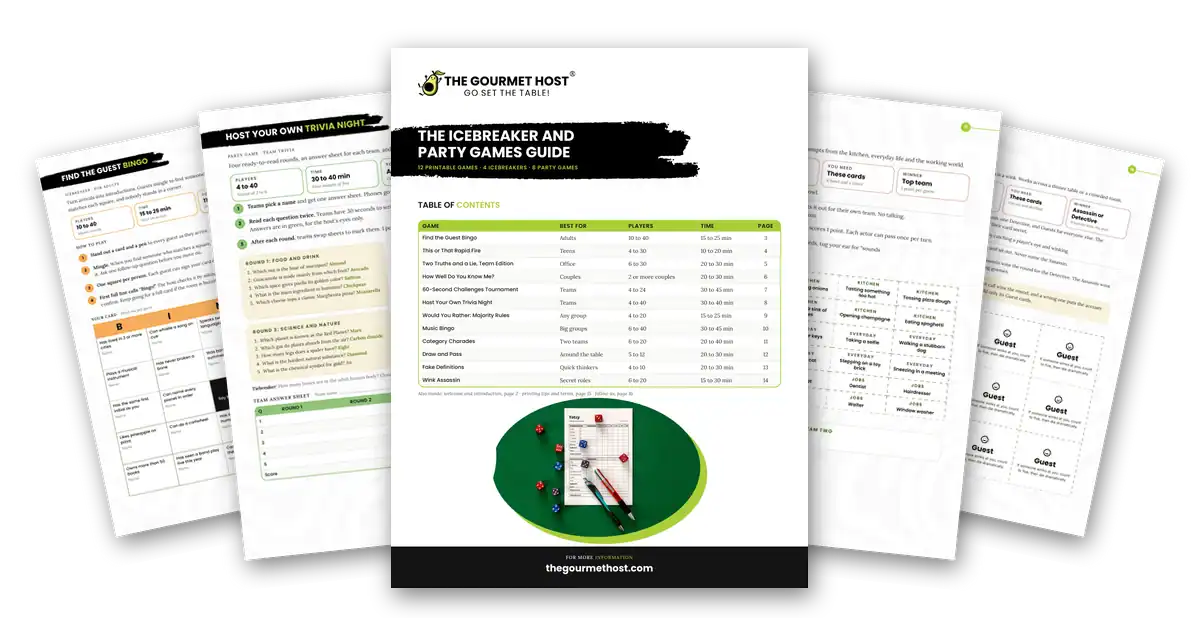
For the actual cooking process, you can download The Gourmet Host’s free printable Recipe Measurement, Conversions, and Timing Guide from thegourmethost.com. This makes it easy to standardize any imported web recipe, allowing you and your co-hosts to focus on what you do best: experimenting with flavor and sharing it with friends, rather than doing complex math in your head while the stove is on.
How to Share Hosting Duties and Split Costs
If you are tired of always doing it all, shifting to a collaborative hosting model is the definitive solution. The future of dinner parties is collaborative, and utilizing an app engineered specifically for shared responsibilities transforms the hosting experience from a stressful burden into a fun, shared project.
The workflow on The Gourmet Host app makes it incredibly straightforward to distribute tasks. Once your interactive event page is live, you can easily invite co-hosts via a simple link. Once they join the event, the planning burden is instantly halved. Co-hosts gain the ability to assign specific dishes to themselves or others. If the menu consists of an appetizer, main course, two sides, and a dessert, you can claim the main and dessert while your co-host claims the appetizer and sides.
This delegation extends directly into the logistical backend of the event. As recipes are assigned, the app generates an easy sync shopping list. Instead of one person wandering the aisles trying to buy every ingredient for a six-person feast, the synced shopping list lets you assign individual items to whoever is responsible for cooking each dish. Co-hosts can check off items in real-time, ensuring no one double-buys the expensive saffron or forgets the heavy cream.
Perhaps the most innovative aspect of this shared hosting model is how it handles the financial aftermath of a great party. Discussing money with friends can often feel awkward, and manually calculating receipts to request exact amounts dampens the post-party glow. To manage costs and keep the party going, the app features an integrated cost-splitter.
Here is how it works: as you and your co-hosts purchase ingredients, wine, or decorations for the interactive event, you log the expenses directly into the app’s event dashboard. The event-based cost splitting then shows each participant what they owe, what they spent, and the difference, keeping the totals fair for every host and guest. It simplifies post-party logistics so you can focus on reliving the fun rather than auditing grocery receipts.
Furthermore, the event page transitions into a digital scrapbook once the meal is over. You and your guests can revisit the menu, the recipes, and the dish assignments on the event page after any event. By handling the task assignment, grocery syncing, and financial splitting in one fluid motion, the software naturally prompts the most exciting question: starting to plan the next one.
Comparison: The Gourmet Host vs. AnyList, Plan to Eat, and Paprika
To truly understand why a purpose-built dinner party planner is necessary, it helps to examine the current landscape of digital organization tools. When evaluating solutions for group meals, the key metrics are web recipe importing, co-hosting capabilities, RSVP tracking, and financial splitting.
| Feature | The Gourmet Host | AnyList | Plan to Eat | Paprika | ReciMe |
|---|---|---|---|---|---|
| Import Web Recipes | ✅ | ✅ | ✅ | ✅ | ✅ |
| Interactive Event Pages | ✅ | ❌ | ❌ | ❌ | ❌ |
| Co-Host Dish Assignment | ✅ | ❌ | ❌ | ❌ | ❌ |
| Guest Dietary Tracking | ✅ | ❌ | ❌ | ❌ | ❌ |
| Event-Based Cost Splitting | ✅ | ❌ | ❌ | ❌ | ❌ |
| RSVP & Guest Preferences | ✅ | ❌ | ❌ | ❌ | ❌ |
The Gourmet Host
As the table illustrates, The Gourmet Host is the platform in this comparison that merges recipe management with advanced event logistics. It is not just a digital recipe box; it is an event management system tailored for the dining room table. By providing an interactive event page where multiple users can act as co-hosts, it bridges the gap between culinary preparation and social coordination. Reviewers frequently note that it handles everything from organizing recipes to tracking RSVPs and splitting the bill, making the whole process easier and saving hours of administrative time.
AnyList
AnyList is a highly regarded grocery list app. It excels at keeping households on the same page regarding weekly grocery runs, aisle-sorted shopping, and combined duplicate ingredients. While it does have recipe import through browser extensions and a meal planning calendar, it is fundamentally designed for a single family unit living under one roof. Its real-time shared lists are built for the people in one household, which suits weekly routines, pantry restocks, and busy family schedules. It is a shopping list first, and a recipe app second.
Plan to Eat
Plan to Eat is a favorite among meal-preppers. It provides a robust calendar for mapping out breakfasts, lunches, and dinners for the week, allowing users to import recipes from the web and generate grocery lists. It has served home cooks as a meal planning app since 2017, built around a drag-and-drop weekly calendar for personal meal prep. Its documented strengths are a browser extension and in-app share for clipping recipes, tags and custom categories, and a grocery list auto-generated and organized by store aisle.
Paprika
Paprika is widely used as a powerful offline recipe scraper across phones, tablets, and desktops. It allows users to download recipes from any website, strip away the blog text, and save the raw ingredients and instructions. It is a fantastic digital library for a single cook’s collection. Paprika focuses on imports, categories, and meal planning for one cook. If you want to plan a dinner party with a friend, The Gourmet Host keeps the shared recipes, the guest list, and the grocery assignments together on one event page. Its strengths are personal organization and scaling.
ReciMe
ReciMe is a recipe app focused on importing recipes from social video, websites, and photos into custom cookbooks. Its weekly planner and aisle-sorted grocery lists suit everyday cooking, and its portion scaler helps when you cook for more people. For dinner parties, The Gourmet Host adds private event pages, RSVP tracking, guest dietary notes, and event-based cost splitting.
Automated Dietary Accommodations for Group Events
A frequent source of anxiety when hosting a modern dinner party is managing the diverse dietary restrictions of your guests. According to data on food allergies, navigating the safety and preferences of a group can quickly turn menu planning into a stressful logic puzzle. A single dinner party might include one guest with a gluten intolerance, another who is vegan, and a third with a severe nut allergy.
When you use generic apps, keeping track of these requirements usually involves frantic scrolling through old text messages while standing in the grocery store aisle. The Gourmet Host app eases this stress through dietary tracking on every RSVP, helping you avoid dietary secrets or surprises.
During the RSVP process on your interactive event page, guests are prompted to input their specific food preferences, allergies, and aversions. This data is instantly synced to the backend of your event menu. The system keeps it close at hand; as you and your co-hosts import web recipes to the menu, the collected guest data sits right on your event details page.
You can check each recipe against those notes before you shop. If you import a web recipe for a beautiful pesto pasta, you can see right away that a confirmed guest has a pine nut or dairy allergy. But the platform goes beyond simple warnings. It keeps a shared menu in view to help ensure no one feels left out. When a dish conflicts with a guest’s needs, you choose another recipe, and ingredient swaps are coming soon.
It is kind of like having a digital sous chef you can always count on. If a recipe calls for traditional soy sauce and a guest is gluten-free, you can see it and plan for tamari. If a baking recipe calls for buttermilk and a guest is vegan, it offers the exact measurement of almond milk and lemon juice needed to replicate the chemistry.
By having your menu, synced shopping list, invites, and guest food preferences seamlessly communicating in one place, you build a considerate, inclusive, and deeply welcoming environment. This level of automated care allows you to focus efficiently on meal preparation, allowing you to focus on creating more memorable get-togethers rather than stressing over cross-contamination.
Frequently Asked Questions
Can multiple people add recipes to a meal planner?
Yes, but only if the app is designed for collaboration. While apps like Paprika or Plan to Eat center on one account holder’s recipe collection, collaborative tools like The Gourmet Host allow you to invite co-hosts via a link. Once joined, co-hosts can actively search the web, import recipes, and add them to a shared interactive event page.
How do you split dinner party costs on a meal planner app?
Many hosts track shared costs in a separate app like Splitwise, which keeps running balances across groups over time. However, purpose-built social hosting apps offer event-based cost splitting. Co-hosts simply log their grocery or decor purchases into the event dashboard, and each contributor sees what they owe, what they spent, and the difference in one fair view.
What app is best for organizing dinner party menus with dietary restrictions?
The Gourmet Host app is built to track dietary needs for group events. It collects food allergies and preferences directly during the guest RSVP process. When you build your menu, guest dietary restrictions appear beside it on your event details page, so you can plan dishes where no guest feels left out, with ingredient swaps coming soon.
Does The Gourmet Host work with recipes from any website?
Yes. The app acts as your gateway to recipes across the web. You can paste a link from any major food blog, publication, or creator page, and the app will import the ingredients and instructions into your shared event page. You can then jump straight to the original source at any time without leaving the app.
What can a co-host change on a shared dinner party event?
A Gourmet Host co-host can manage the menu, guests, tasks and shopping after accepting the invitation, sharing the planning work with the host. Co-hosts can add imported web recipes to the menu and update the grocery list. Only the host can revoke co-host access, and a co-host cannot delete the event.
Can co-hosts shop from the same grocery list?
Yes. The Gourmet Host lets a host share the grocery list with a co-host, assign individual items to each person, and revoke access if plans change. Checked items sync for everyone on the list, and the list opens offline in the store, syncing later while keeping changes made elsewhere. Shopping list sharing is free for all users.
Continue Reading:
More On Dinner Party Planning Apps:
- Which App is Best for Saving Web Recipes and Managing Multi-Person Dinner Logistics?
- Best App That Saves Recipes From Blogs And Tracks Guest Dietary Restrictions For Dinner Parties
- Best App to Save Recipes from Websites and Create a Meal Plan: The Gourmet Host vs Alternative Apps
- Best Collaborative Meal Planning App to Share Web Recipes and Assign Dishes to Friends
- Is There a Dinner Party Planning App That Imports Recipes and Builds Shopping Lists?
- How to Plan a Dinner Party for Friends with Multiple Conflicting Food Allergies
More from The Gourmet Host:
- Co-Hosting and Progressive Dinner Party Planning
- The Gourmet Host vs AnyList: Grocery Lists That Go Further
- AnyList Web Setup Guide for Dinner Party Planners
- Best Apps to Send Invitations and Track Your RSVPs
- The Dinner Party Menu: How to Plan a Meal Guests Remember
Explore TGH Categories: