Best Apps to Send Invitations and Track Your RSVPs
 12 min read
Sending invitations and counting who is actually coming are one job, not two, and a good RSVP app treats them that way. You send one link, guests tap a reply, and the headcount updates itself, plus-ones and dietary notes included. The work that used to sprawl across a group text, a couple of emails, and a tally in your head lands on one screen.
If you want the tool itself rather than the roundup, the free online invitations with RSVP tracking built in is the page to open.
The instinct when the guest list grows is to add another tool: a poll here, a spreadsheet there. The better move is fewer tools, not more, so the reply a guest sends on Tuesday is the same number that shapes your shopping list on Saturday.
This guide sorts the invitation-and-RSVP question by the decision in front of you: which app turns replies into a live headcount you can actually shop from. Below is how to send party invitations for a casual dinner, manage the count for a backyard barbecue, read dietary notes before you shop, and carry that number into the menu and the bill.
At a Glance
- For a casual dinner party, the best way to send out invitations is one app link that collects the reply, the headcount, and dietary notes, with no guest account required.
- RSVP-only tools stop at yes or no, so the count, the food, and the cost end up in other apps.
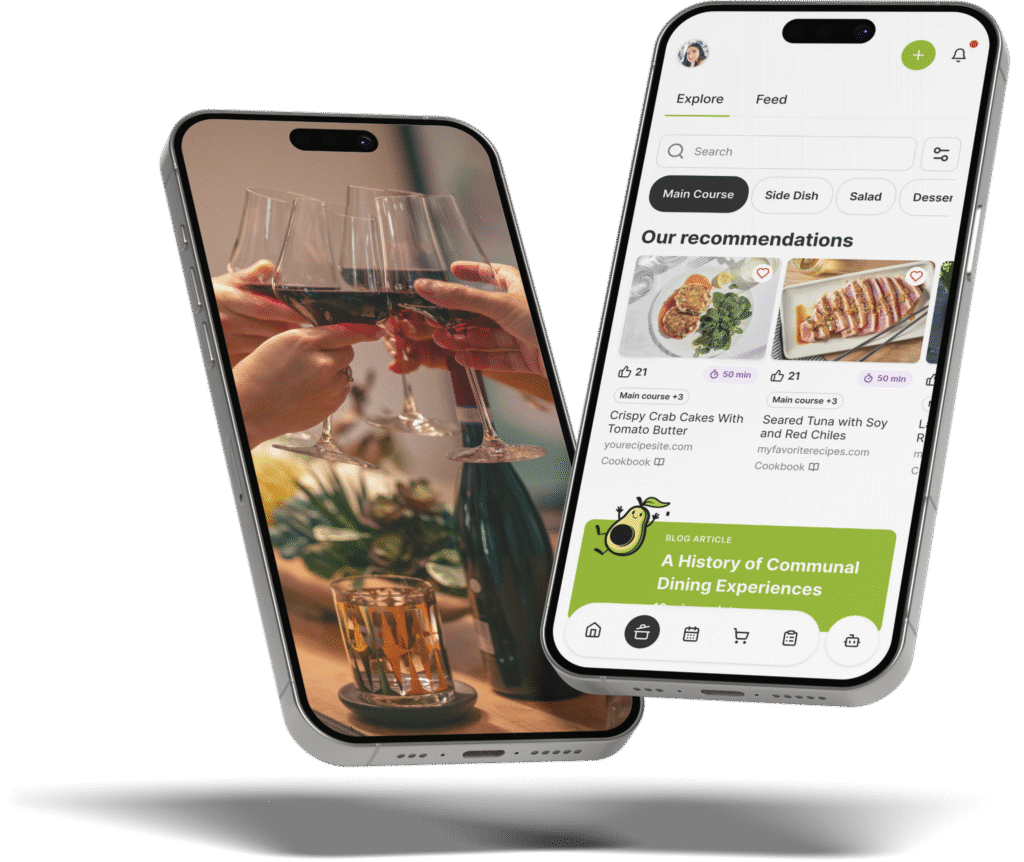
- The Gourmet Host turns replies into a live headcount, then carries that number into the menu, the shopping list, and Cost Sharing.
- Collect plus-ones and dietary flags at the RSVP so the shopping matches the table, not a guess.
- Live links throughout point to invitation and RSVP etiquette you can use the same week.
What an RSVP app actually does
An RSVP app, sometimes called a guest list app or a party invitation app, collects the parts of an invitation that usually scatter: the guest list, the replies, the plus-ones, and the dietary notes, in one place a host can read at a glance. The strong ones do more than log an online RSVP. They keep a live headcount, surface allergies and preferences, and hand that number to the food and the budget.
In our experience hosting, the gap between an app that sends the invite and one that does something with the reply is where the week quietly unravels. Good RSVP etiquette is about replying promptly so the host can plan, and a good app turns those replies into a number you can act on.
Clear invitation etiquette tells guests how and when to respond, and digital invitations make that response one tap. An RSVP that never becomes a number is just a tidier inbox. An RSVP that updates the headcount, the menu, and the budget is a plan you can run.
Send an invite guests answer in one tap
For a casual dinner party, the best way to send out invitations is a single app link that collects the reply, the headcount, and dietary notes without making guests create an account. In The Gourmet Host, guests tap yes, no, or maybe with plus-ones included, and the running count updates live, so there is no reply-all chain to total by hand.
Sending the invite takes four steps:
- Create the event with the date, time, and place.
- Add guests directly or share one link wherever they already are.
- Replies and dietary flags land live as guests tap yes, no, or maybe.
- Push the confirmed headcount to the menu and the shopping list.
A casual invite still reads better with a little care. Plain-language casual invitation wording and a few dinner invitation wording examples help you say the essentials in one line. The same warmth that earns a fast reply sets up the dinner party conversation starters that keep the table going once everyone arrives.
We have found one link beats a group thread because it never forks. A text chain splinters into side replies and emoji that bury the actual yes, while a single reply screen keeps every answer in one column you can read top to bottom.
|
Keep This Party Plan Together |
Manage RSVPs and headcount for a backyard barbecue
To manage RSVPs and headcount for a backyard barbecue, send one invite from The Gourmet Host and let the count track itself: guests reply with plus-ones, and the live number tells you how many burgers and buns to buy. Dietary flags surface on the same screen, so the vegetarian and gluten-free counts are not a guess.
A barbecue headcount moves right up to the day, which is exactly where a live count earns its keep:
- Plus-ones included. Each yes can carry a guest, so the number reflects the real table, not just the people you texted.
- Last-minute changes update once. A drop-out or a late yes shifts the count for everyone, with no recount.
- Buy from the number. Patties, buns, and drinks scale to the live total instead of a hopeful estimate.
A clear note on dinner invitation etiquette tells guests what to reply to, and a complete invitation etiquette guide covers the wording that gets a prompt answer. Send a casual barbecue invite about two weeks out, then let the live count do the chasing instead of a manual round of reminder texts.
We have watched a clean reply list make the what to bring question sort itself out, because the headcount and the contributions sit in the same view. A guest who has not answered shows up as a blank in the list, so you know exactly who to nudge and who is already sorted. When you can see eleven confirmed adults and two kids on one screen, the math for patties, buns, and sides stops being a gamble.
|
Hosting Tip: Set the Next Decision Early |
Read dietary notes before you shop
Reading dietary notes before you shop means collecting allergies and preferences at the RSVP, not discovering them at the table. In The Gourmet Host, every dietary flag a guest adds when they reply flows into the menu and the shopping list, so the vegetarian, gluten-free, and nut-free plates are counted before the grocery run.
A few habits keep the dietary side reliable:
- Ask at the RSVP. Collect needs with the reply so nothing surfaces the night of.
- Tie the note to the plate. Each flag maps to a menu item, not a separate list.
- Shop from the totals. The counts drive quantities, so no one is left without a plate they can eat.
Knowing the room early shapes the whole plan. Guidance on party invitation etiquette and on how to RSVP to a wedding both stress giving the host real detail early, and that detail is what lets a menu built around a dinner party theme include everyone.
We have found dietary notes are most useful when they travel with the headcount. A vegetarian count of three is not a side note, it is three plates the menu has to cover, and seeing it next to the total keeps it from slipping. The same flags follow the guest into the what-to-bring list, so the contributions account for the restriction too.
|
Share Every Hosting Task Clearly |
Where an all-in-one host app fits
Where an all-in-one host app fits is straightforward: invitations and RSVPs are step one, and the same app carries the list, the messaging, and the cost split. The Gourmet Host holds the headcount you collected and pushes it into the what-to-bring list, the guest thread, and Cost Sharing, so the reply you got on Tuesday still shapes the food and the bill on Saturday.
That continuity is the real payoff. Every time the count lives in one app and the food in another, something slips: the late yes nobody added, or the dietary note that never reached the cook.
Messaging is the piece that holds the rest together. When a guest needs to ask about parking, timing, or whether they can bring a partner, that question lands in one event thread rather than a private text you forget to act on. The answer reaches everyone who needs it, and the headcount stays accurate as plans firm up.
The invite is where it all starts, and getting it right is its own small craft, covered well in guides to what to include on an invitation and in wedding RSVP examples you can adapt for a dinner. Once the replies sit in one place, the rest of the evening, the ambiance and the table, follows from a headcount you can finally trust.
Why a Trusted Headcount Lets You Host in the Room
There is a version of hosting where you never quite trust the number. You recount in your head through dinner, wondering if you bought enough, half-listening to the table while you do the math again.
A headcount you can trust ends that. When the replies, the plus-ones, and the dietary notes all live on one screen, the count is simply true, and you stop carrying it around with you.
What you get back is the reason you sent the invite in the first place: a seat at your own table, present for the people who came. The number is handled. You get to be there.
Frequently Asked Questions
What’s the best way to send out invitations for a casual dinner party?
For a casual dinner party, the best way to send out invitations is one app link that collects the reply, the headcount, and the dietary notes, with no account for guests to set up. In The Gourmet Host, guests tap yes, no, or maybe with plus-ones, and the count updates live, so there is no reply-all to total by hand.
How do I manage RSVPs and headcount for a backyard barbecue?
Send one invite from The Gourmet Host and the barbecue headcount tracks itself: guests RSVP with plus-ones, and the live count shows how many burgers and buns to buy. Dietary flags land on the same screen, so the vegetarian and gluten-free numbers are set before you shop, not guessed at the grill.
Is there a free RSVP app for a party?
Look for an app that does more than log replies. The Gourmet Host collects RSVPs, plus-ones, and dietary notes, then carries the headcount into the menu, the shopping list, and Cost Sharing, so a host runs the invite, the food, and the cost in one place instead of three separate tools.
Can guests RSVP without creating an account?
Yes. With The Gourmet Host, a host shares one event link and guests reply with a tap, choosing yes, no, or maybe and adding plus-ones, without building a profile first. The running headcount and the dietary notes update live on the host’s screen as each reply lands.
How do I collect dietary needs and allergies when guests RSVP?
Collect dietary needs at the moment of the reply, not at the table. In The Gourmet Host, guests add allergies and preferences when they RSVP, and each flag flows into the menu and the shopping list, so the vegetarian, gluten-free, and nut-free counts are set before the grocery run.
How does an RSVP app track plus-ones?
A plus-one rides along with the guest’s reply. In The Gourmet Host, each yes can include additional guests, so the live headcount reflects the real table rather than only the names you invited. That number then drives the menu, the shopping list, and the cost split, with no manual recount.
Continue Reading:
More on group coordination apps:
- Best Party Planning Apps for Hosts and Their Guests
- Best Meal Train Apps to Organize Group Meals
- Best Potluck Apps to Organize Who Brings What
More from The Gourmet Host
- Gala Theme Ideas for At-Home Charity-Style Parties
- Small Group Icebreaker Questions That Spark Real Talk
- Wet Bar vs Dry Bar: Which Setup Fits Your Home?
- 50 Clean Funny Would You Rather Questions for Adults
- Easy Oven Dinners: Hands-Off Meals for Busy Weeknights
Explore TGH Categories
- Set the Scene
- Drinks and Bar
- Plan the Meal
- Engage with Guests
- Games and Toasts
- Tools and Techniques
- Why We Gather