
Cost Sharing
A Bill Splitting App Built Into Party Planning
Track every dinner party cost, then split it across your co-hosts and guests, all inside one event.


 Scan to install
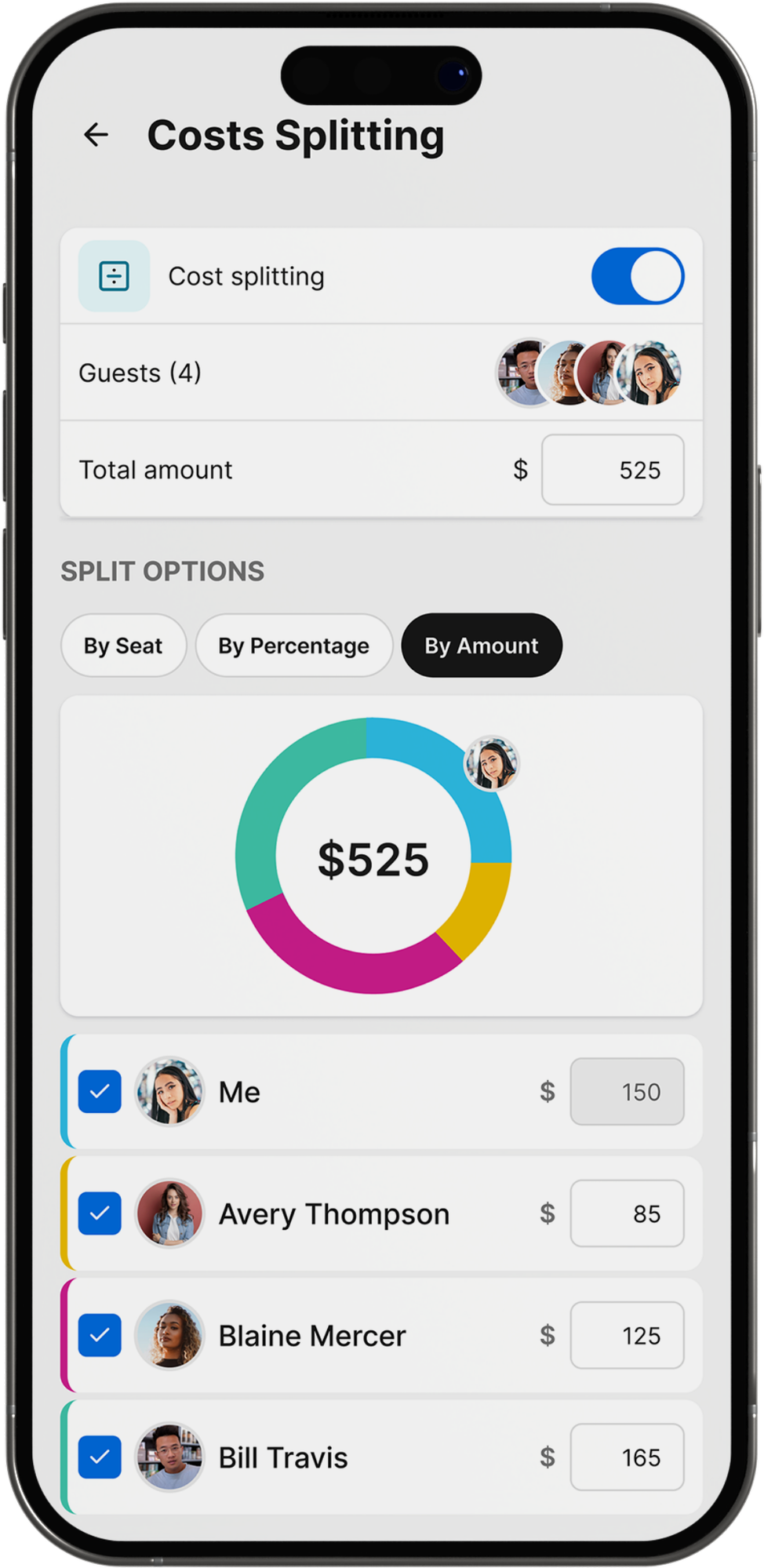
Log Costs as They Happen
Add groceries, rentals or decor to the event the moment you pay for them.
Split by Co-host or Guest
Divide the total across everyone at the party, not only the person who hosted.
Costs Sit with the Guest List
Cost sharing lives inside the same event as invites, RSVPs and dietary notes.
Generous Free Tier
Free to download, with optional paid plans starting at $4.99 a month.
What a Bill Splitting App Does at a Dinner Party
A cost splitting app should follow the party. The Gourmet Host logs each cost against the event that already holds the menu, the grocery list and the guest list.
Groceries, drinks, rentals and decor land on the running total as you pay for them, so no split money app or spreadsheet has to be opened separately.
- Log groceries and drinks as you buy them
- Add venue or rental fees to the same event
- Track decor and supplies alongside the menu
- Every cost sits with the guest list it belongs to
Scan to install
Split the Bill App or Expense Tracker: Which a Host Needs
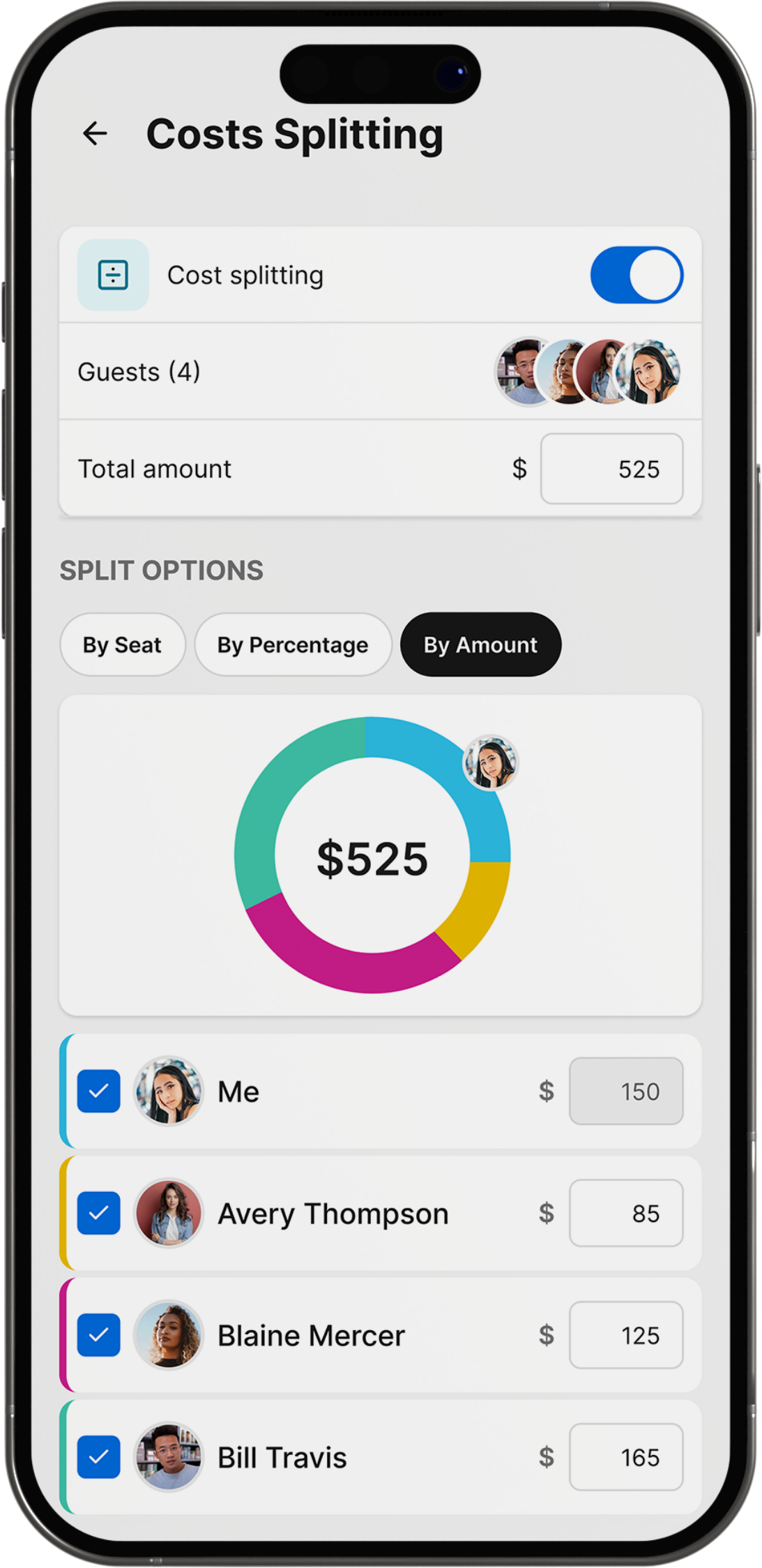
A split the bill app settles a restaurant tab, and an expense tracker follows a household budget. The Gourmet Host does the dinner party version of both.
The split runs on the guest list already built for the event, across co-hosts and guests, so nobody is re-entered by hand or chased in a group text.
- Runs on the guest list built for the event
- Works for three roommates or a dozen guests
- No new group to create, no names to re-enter
- Co-hosts add what they spent as they spend it
Related: see how The Gourmet Host compares to Splitwise, explore the app hub
Scan to install

Splitwise, Tricount and Settle Up Compared on Price
| Feature | The Gourmet Host | Splitwise | Tricount | Settle Up |
|---|---|---|---|---|
| Cost splitting | Event costs tracked and split with co-hosts and guests | Splits by percentage, shares or exact amounts, multiple payers | Splits evenly, by parts or custom amounts, suggests settling up | Splits evenly or by weight, calculates fewest transfers to settle |
| Price | Generous free tier; optional paid plans from $4.99 a month | Free tier; Pro from $2.99 to $39.99 a year | Free with no subscription, hidden fees or usage limits | Free tier; Premium from $3.99 a month, Group plans to $149.99 |
| Platforms | iOS and Android | iOS, Android and web | iOS and Android | iOS, Android and web |
| Messaging | Not included; coordination runs through shared lists | Comment directly on individual expenses | Not included | Not included |
| Invites and RSVPs | Invites, RSVPs and dietary notes in one place | Not included | Not included | Not included |
| Menu planning | Menus built from 500+ tested recipes | Not included | Not included | Not included |
| Grocery lists | Shared grocery and task lists that sync | Not included | Not included | Not included |
| Recipes | Personal cookbook of saved recipes | Not included | Not included | Not included |
| Who brings what | Assign dishes to co-hosts, everyone sees the plan | Not included | Not included | Not included |
| Dietary needs | Dietary needs captured with each RSVP | Not included | Not included | Not included |
Facts checked 2026-09-04 on each product’s own site or store listing.
Which Split Expenses App Fits Which Host
| Host type | What that looks like | Best fit |
|---|---|---|
| Free with No Limits | Wants group expense splitting at no cost at all. | Tricount: free with no subscription or usage limits |
| Best Bill Splitting App | Wants one app that only splits a shared group bill. | Splitwise: splits by percentage, shares or exact amounts |
| Fewest Transfers | Wants the smallest number of payments to settle a group. | Settle Up: calculates the fewest transfers to settle |
| Costs Beside the Menu | Also planning the menu, the grocery list and the RSVPs. | The Gourmet Host: costs split on the same event |
| Co-Host Spending | Wants every co-host to add what they paid to one total. | The Gourmet Host: co-hosts add costs to the event |
Log the Costs, Split the Bill in the App
Add costs to your next event and split them with everyone there.
Scan to install
More features
 Invitations and RSVPsAn invitation app and RSVP app in one: send the invite, then watch replies land beside your menu.
- Recipe organizer and cookbookOne digital cookbook for every recipe you save, then a menu and grocery list built straight from it.
- Menu plannerA dinner party menu planner built from 500+ tested recipes, with the grocery list tied to the same event.
- Grocery and task listsA shared grocery list app tied to the menu and guest count, updated the moment either one changes.
- Potluck organizerA potluck app holding the potluck sign up sheet next to your invites, RSVPs and dietary notes.





FAQs
Split Every Dinner Party Cost
Get The Gourmet Host’s generous free tier on the App Store and Google Play.
Scan to install