AnyList App Workflow to Master Your Grocery Run
 12 min read
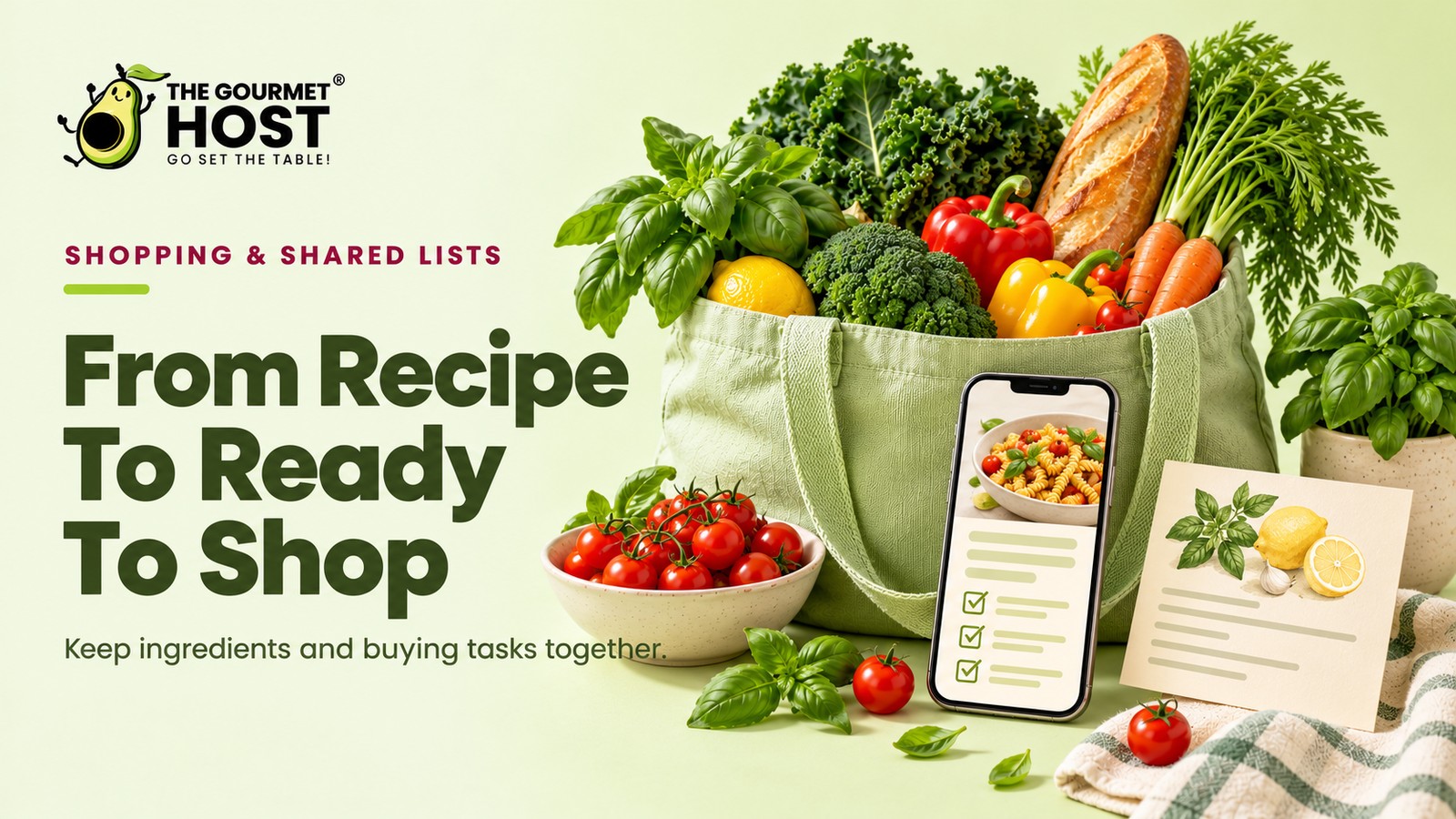
Your dinner party prep shifts from a frantic memory test to a quiet, controlled sequence when the software tracks your ingredients for you.
“Did I already buy shallots?” is the text a host usually sends from aisle four of the grocery store, fifteen minutes into a panicked shopping run. That uncertainty reveals what a large menu really requires: a concrete inventory system that tracks every ingredient.
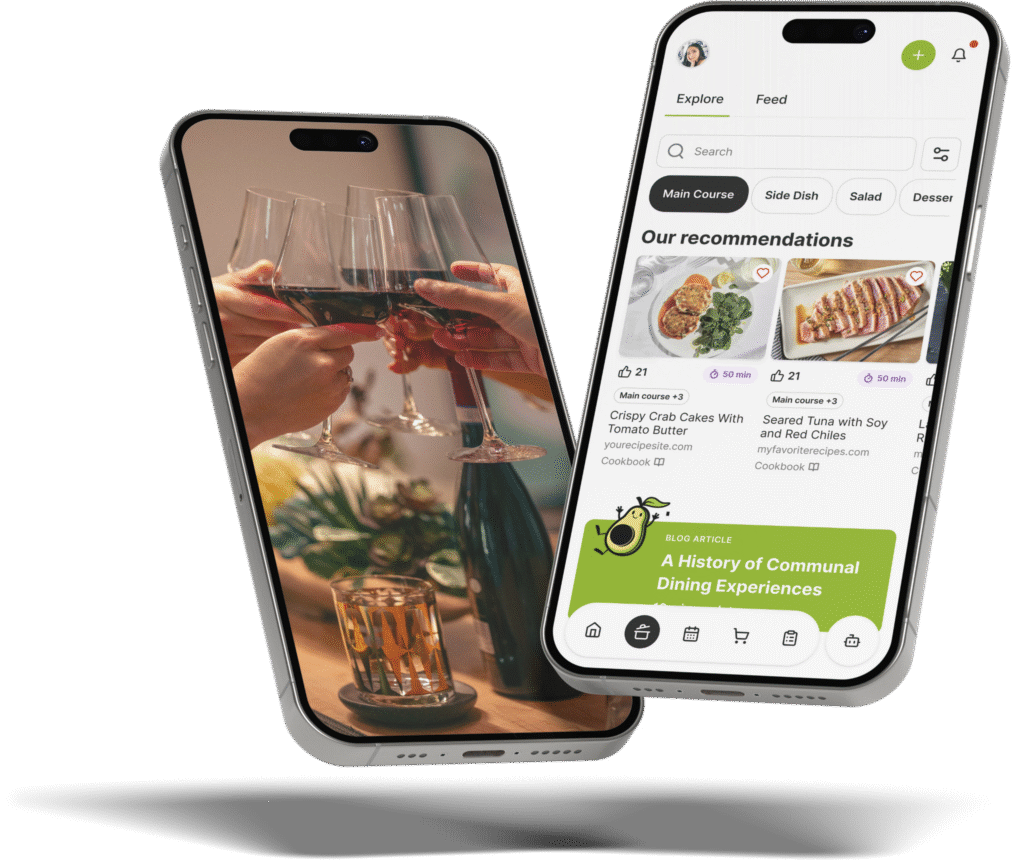
The AnyList app is an inventory and delegation engine, not just a digital notepad. It captures exactly what a meal requires directly from the source, assigns each item to the correct store aisle, and scales quantities before you ever grab your car keys.
Below is the complete sequence for using this tool to plan a modern gathering, tracking the flow from importing your initial menu ideas to dispatching family members with synchronized lists on their phones.
At a Glance
- Browser extensions pull complete ingredient tallies from culinary websites directly into your private database.
- The software automatically sorts raw ingredients into standard supermarket categories like produce and dairy.
- Shared lists sync across devices instantly so two people can shop at opposite ends of the building.
- Voice integration allows home cooks to add forgotten items via smart speakers mid-prep.
- A five-recipe import cap on the base level makes a paid subscription necessary for active home hosts.
Why Do Checklists Fall Short for Hosts?
Scaling a multi-course dinner menu for a dozen guests demands a system that accurately calculates exact ingredient quantities across multiple distinct recipes at once. A highly functional grocery plan must group components by specific dishes while automatically adding together overlapping staples, stopping you from buying separate cartons of heavy cream for an appetizer, a main course, and a dessert. This workflow establishes the exact sequence for routing recipes to your phone so a supermarket run relies on a single aggregated total instead of fractured mental math.
The Real Driver: Controlling Your Recipe Database
Shifting your focus from writing checklists to building a permanent meal catalog eliminates redundant data entry. Every menu you plan leaves a reusable blueprint behind.
Writing down “three lemons” on a piece of paper solves the problem for Saturday night, but it does nothing for next month’s brunch. A true hosting workflow treats the recipe, rather than the isolated ingredient, as the foundation. When you build a library of proven dishes, the individual grocery runs populate themselves.
The application’s core architecture makes this possible. The platform allows users to add ingredients from saved recipes to a shopping list in a single tap, according to Macworld. This mechanism means you only verify the required components once.
Once a dish lives in your system, generating the required inventory takes seconds.
- Centralize all your culinary inspiration in one searchable database instead of scattering links across text messages.
- Push entire ingredient requirements straight to your active cart without retyping a single measurement.
- Save successful holiday menus as blueprints you can deploy instantly next year.
The prep phase begins by capturing the right data.
|
Save Your Favorite Links Instantly |
Phase One: Setting Up AnyList Browser Extensions
Pre-planning begins by importing web data before you step foot in a store. You want the recipes gathered while you are still sitting at your kitchen island.
Food blogs format their directions in countless different ways, making manual copying tedious.
A grocery list software sidesteps this by reading the metadata on culinary websites directly.
A dedicated tool speeds up your sourcing. The software offers a Google Chrome extension that allows home cooks to save online recipes directly into the app.
Once the data imports, the platform organizes your lazy dinner ideas. Locating the official tools requires visiting specific digital storefronts.
- Apple App Store: The official iOS listing includes the mobile Safari extension for importing meals directly on your phone.
- Chrome Web Store: The AnyList Recipe Import extension connects your desktop browser to your account for fast clipping.
- AnyList Website: The main domain hosts the web application, letting you manage imported data without a mobile device.
With the imports gathered, the software must group those items logically.
Auto-Sorting: Mapping the Aisle Inventory by Department
AnyList relies on an internal database that automatically sorts newly added grocery list items into default store categories to streamline shopping. The software groups incoming ingredients into standard sections, mapping a flank steak to Meat while routing a block of cheddar to Dairy.
Rather than capturing a chronological log of items, the platform acts as an active sorting tool. According to the official App Store listings and the AnyList website, the system applies default tags to thousands of common foods while supporting custom rules. The software enables users to separate shopping lists by specific store locations, such as creating dedicated lists for Trader Joe’s and Aldi.
- The App Store description emphasizes that the database maps new additions directly to their correct department without requiring manual entry.
- The official AnyList website details a category override function, allowing users to reassign unrecognized or regional ingredients to custom aisles.
- Product documentation highlights the option to isolate runs by vendor when curating a Christmas brunch menu, keeping specialty items on a dedicated store view.
When the list matches the physical store layout, multiple people can tackle the aisles simultaneously.
Official App Capabilities: Real-Time Synchronization and Scheduling
The official AnyList app store listing highlights live collaboration as a core capability, allowing users to view and check off items simultaneously during a shopping run. Dividing a large holiday grocery run between two carts cuts the physical time spent in the store in half.
AnyList operates as a digital tool that pushes updates instantly over a cellular connection. The developer’s documentation notes the software enables list sharing between family members so items marked off on one device update immediately on connected devices. This immediate syncing guarantees buyers avoid purchasing the same carton of heavy cream twice when co-hosting a progressive dinner party.
The product website details how this synchronicity extends to meal preparation. The platform enables users to plan meals on a calendar and automatically generate a shopping list containing the required ingredients.
- Permanent access: The application permits account holders to grant partners direct visibility into the shared household inventory.
- Live fading: The interface grays out items in real time as a second shopper checks them off three aisles away.
- Remote additions: Cloud connectivity means last-minute requests added from home appear on the active screen before the shopper reaches the checkout lane.
That instant remote entry capability prevents emergency supermarket trips when missing ingredients surface deep into the cooking process.
|
Hosting Tip: Standardize Your Measurement Formats |
Official Listings: Voice Additions While Your Hands are Full
Smart speaker integration lets you dictate sudden needs while your hands are covered in flour or raw meat. You bypass the screen entirely to capture a missing ingredient before the thought vanishes.
The moment you scrape the last tablespoon of Dijon mustard from the jar is usually the moment you cannot safely touch your phone.
Without an immediate capture method, that mustard never makes it onto the next run.
Technology companies actively support this exact scenario. For example, Google Assistant added integration with AnyList, allowing users to create and manage lists using voice commands across phones and smart speakers.
- The Apple App Store page provides the iOS application and lists the specific hardware required for Siri voice commands.
- The Google Play Store listing distributes the Android application necessary to link kitchen smart displays and connected home speakers.
- The AnyList website features technical documentation explaining how to authenticate external voice assistants with an active account.
Once the event concludes, the tool helps you archive those successful plans.
Official Listings: Structuring Folders for Travel and Prep
The official App Store descriptions and AnyList website pages market folder organization as a primary way to keep daily views clean while preserving data for later. The developer documentation emphasizes separating standard weekly grocery runs from complex vacation menus.
Official screenshots illustrate that a host needs boundaries between different types of gatherings. The promotional materials suggest the menu for a quiet Sunday roast should not clutter the massive inventory needed when planning a stress-free housewarming event.
To highlight this capability, the application website details how the software lets users organize custom lists into folders, such as placing packing lists and itineraries inside a Travel Folder.
- Master categories: The app store descriptions highlight folders labeled for upcoming summer rentals, which store both the barbecue menu and non-food packing requirements.
- Seasonal hiding: The developer website showcases the ability to collapse folders that are not currently active, hiding holiday baking data during the spring months.
- Template duplication: The official feature log includes duplicating a successful folder entirely for repeated annual trips, requiring updates to only the dates and a few seasonal adjustments.
Relying heavily on these advanced organizational tools eventually forces a decision about your subscription level.
Official Channels: Reviewing the App Store Listings
Official storefronts and the main developer website provide detailed feature breakdowns for the application. These verified hubs outline device compatibility requirements, explain the exact tier structures, and serve as secure portals for upgrading a baseline account.
Relying on the primary website gives a host access to direct support documentation and account management tools. The storefront pages provide technical specifications and version history updates, ensuring your devices meet the software requirements before a major event.
Reviewing the verified listings reveals distinct capabilities tied to specific operating systems:
- Apple App Store pages detail specific integrations for voice commands and watch synchronization.
- Google Play storefronts outline Android widget compatibility for adding grocery items from a home screen.
- Developer websites host the master documentation and manage the payment gateway for premium upgrades.
| Feature Capability | Basic Account Status | Complete Subscription Level |
|---|---|---|
| Web Recipe Import | Capped at 5 total saves | Unlimited web downloads |
| Shared Access | Text lists only | Full database access |
| Photo Attachments | Not available | Add images to items |
| Desktop Usage | Mobile app only | Mac and PC browser access |
| Theme Customization | Standard view | Custom colors and fonts |
Understanding these documented limitations helps clarify exactly when a free download requires financial investment to support a large gathering.
|
Sync Your Plans Automatically |
What a Synchronized Kitchen Prep Actually Feels Like
Complete confidence in your ingredient availability and portion math replaces the usual pre-party anxiety. You start chopping vegetables knowing every necessary item sits ready and waiting in the pantry.
The friction of modern hosting rarely comes from the cooking itself. It stems from a series of common disruptions:
- Logistical failures during your prep time.
- Missing spices needed for a specific recipe.
- Doubled purchases of everyday ingredients.
- Last-minute drives to a convenience store.
A tight digital system eliminates those gaps.
Connect your primary culinary websites to the browser extension today, and import the next three dishes you plan to serve.
Frequently Asked Questions
When should I upgrade to a premium subscription plan?
A host should purchase a premium subscription as soon as they need to import more than five web menus. Upgrading to the paid tier removes the strict import cap immediately. It also unlocks desktop browser access, letting you type out complex holiday shopping requirements on a full physical keyboard.
Do smart speakers integrate with this digital organizer?
Smart speaker integration allows home cooks to add items directly to specific digital folders using just their voice. You can dictate a missing ingredient to a compatible kitchen speaker while your hands are dirty. Those spoken items sync instantly to your mobile device before your next supermarket run.
What happens if I lose my internet connection mid-trip?
A dropped cellular connection in a supermarket does not lock you out of your downloaded lists. The software stores your current inventory locally on your phone memory. You can continue checking off physical items offline, and the application pushes those updates to connected family members once the signal returns.
Can I customize the default store categories for my layout?
Customizing the default category order allows a shopper to match their digital view to their specific local supermarket floor plan. You can drag the produce section to the top of your screen if your grocer places vegetables at the front door. This prevents backtracking across the aisles.
Should I share login credentials or use collaboration features?
A host should always use the built-in sharing invitations rather than handing out personal passwords. Sending a dedicated sharing link grants your partner direct access to the household inventory on their own device. This keeps your central account secure while letting multiple people modify the active cart simultaneously.
How exactly does the browser extension capture recipe ingredients?
The dedicated browser tool reads the background metadata on food websites to identify exact measurement units and ingredient names. Tapping the save button strips away the blog photography and narrative text. It pushes only the necessary culinary instructions and raw components directly into your private database.
Continue Reading:
More On Shopping list template:
- Shopping List Template for Stress-Free Events
- Google Shopping List Setup for Busy Party Hosts
- Shopping List Meal Planner App Picks for Hosts
- 7 Meal Planner App With Shopping List Picks to Try
- AnyList Web Setup Guide for Dinner Party Planners
More from The Gourmet Host:
- 10 Lazy Dinner Ideas for Stress-Free Hosting
- Christmas Brunch Ideas: A Stress-Free Holiday Menu | The Gourmet Host
- Co-Hosting and Progressive Dinner Party Planning
- 15 Housewarming Party Ideas for a Stress-Free Event
- The Gourmet Host vs AnyList: Grocery Lists That Go Further
Explore TGH Categories: