7 AnyList Web Tips to Plan Better Dinner Parties
 14 min read
Planning a dinner party using AnyList web gives you a large desktop monitor to view your entire grocery plan in one place.
This digital workspace helps you map out complex recipes and organize specific ingredients before syncing the final details directly to your phone. You will discover how to build accurate master lists and calculate beverage mathematics for your next gathering. Using a full keyboard allows you to structure the event without squinting at a tiny screen.
At a Glance
- Using a desktop interface simplifies multiplying ingredient quantities for large groups without making mathematical errors on a smartphone.
- Dedicated beverage categories keep complex cocktail ratios highly organized so you always remember the crucial ice and garnishes.
- Calculating bulk wine purchases on a full monitor prevents miscounting your party totals and running out of drinks.
- Planning dry pantry goods early ensures necessary spices are ready well before your hungry guests arrive.
- A shared digital list allows two people to divide grocery store duties efficiently while viewing real time application updates.
What AnyList Web Means for Home Hosts
Using AnyList web involves accessing your digital grocery planner through an internet browser on a laptop or desktop computer. This interface gives you a complete view of your meal ingredients without requiring constant thumb scrolling on a small screen.
Hosts applying this method can sit at a desk to type out extensive grocery needs using a full keyboard.
This desktop approach applies when you are organizing a gathering of 4 to 12 people and require detailed menu coordination. This platform is frequently confused with a basic notes application on a phone.
The web version provides distinct categories and side by side recipe views that basic phone notes lack. Relying on a full web browser allows you to manage multiple recipe tabs and transfer precise measurements directly into your master grocery plan.
How Do You Scale Recipes for a Large Dinner Party Using AnyList Web?
When cooking for a group, relying on a desktop interface makes it easier to review and adjust ingredient quantities without endless scrolling. You can comfortably double or triple recipe yields on your computer, ensuring you have exact portions mapped out before syncing the final list to your mobile device.
Keep your workspace organized with Kitchen Organization Hacks That Keep Your Space in Order.
Calculating exact protein requirements demands careful attention when finalizing your shopping plan.
A full monitor allows you to read cooking charts and instantly type the updated numbers into your digital workspace.
This works because reviewing these figures on a large screen prevents calculation errors that often occur when rushing on a smartphone. Reading standard recipe yields side by side with your guest count gives you total confidence in the grocery amounts.
Taste of Home recommends buying 1.25 pounds of raw turkey per guest when planning a holiday dinner menu.
Multiplying this amount by your exact guest count yields the final weight to enter into your main grocery category.
Use the desktop view to cross reference your total guest count and adjust your shopping list template accordingly before leaving the house. Integrating these numbers with 7 AnyList App Tips for Flawless Dinner Parties ensures complete accuracy.
|
Keep the Plan Handy |
Can You Plan Welcome Drinks and Home Bar Supplies on Your Computer?
Hosting requires more than just food preparation, as planning a complete drink menu is much easier when typing out complex cocktail ratios on a full keyboard. Organizing your bar needs into a separate desktop list ensures you never forget the ice, garnishes, or essential mixers.
Check quantities against the menu ideas in Food for a Crowd: Easy Menus to Feed a Big Group.
A dedicated digital bar category prevents important cocktail ingredients from getting lost among the fresh produce.
Creating a distinct beverage section keeps your main grocery view clean and entirely focused on the food. Managing the liquid ingredients independently guarantees you allocate enough budget to the bar cart.
Difford’s Guide details a 6:2:1 ratio of 6 parts rum, 2 parts lime juice, and 1 part sugar for the classic Daiquiri No. 1 cocktail. Logging these exact fluid ounces into your web browser secures the correct bottle sizes.
Providing accurate spirit measurements ensures your mixed drinks taste perfectly balanced. Reviewing these measurements alongside 7 Google Shopping List Hacks for Dinner Party Hosts keeps your home bar fully stocked for the entire night.
How Should You Organize Bulk Beverage Purchases Online?
Buying drinks for a crowd of 8 to 12 guests often requires purchasing in bulk, which is easier to research and organize from a desktop browser. Tracking exactly how much volume you need for the entire night lets you add those specific bulk quantities directly to your digital list.
Build a preparation checklist with How to Host Your First Dinner Party With Ease.
Coordinating large beverage orders on a web platform allows you to compare store prices across different browser tabs.
Building a comprehensive view of your total beverage volume happens smoothly before placing any final orders. Adding case quantities to a digital planner ensures you have enough liquid volume to keep glasses full throughout the evening.
Tracking these heavy items on a desktop prevents the panic of realizing you forgot the main dinner pairing. A standard U.S. case of wine contains 12 bottles of 750 ml each, totaling 9 liters of wine.
Recording this total volume in your desktop list accurately covers a larger guest count. Knowing the exact liquid volume helps you arrange sufficient cooler space in your dining room. Calculate your total wine needs based on your guest count and add full case requirements to your master grocery list, referencing our shopping list meal planner app guide for more gathering strategies.
What is the Best Way to Schedule Make Ahead Pantry Prep?
Preparing dry ingredients and spice blends days in advance drastically reduces effort on the day of your gathering. Using a web based interface allows you to easily separate these advance pantry staples from fresh produce, building a specialized shopping list just for early prep work.
Review a flexible menu in One Dinner Party Menu That Works for Every Diet.
Building a separate dry goods list helps you execute small tasks throughout the week instead of completing all preparations at once.
Categorizing herbs and seasonings into a dedicated Tuesday prep category requires just a few keystrokes.
Separating your shopping timeline guarantees that nonperishable goods are already in your kitchen before the weekend arrives. Completing the dry goods run on a Tuesday leaves your Friday schedule completely open for the butcher and local bakery.
Love and Lemons advises that homemade dried Italian seasoning can be stored covered at room temperature for up to 6 months.
Batching this spice mix early in the week allows you to check the task off your master web list.
Building flavorful rubs early gives the ingredients time to meld properly. Dedicate a prep day earlier in the week to mix your own dry spice blends so they are ready for the main event.
|
Hosting Tip: separate early buys from fresh items. |
How Do You Coordinate Table Settings and Decor on a Digital List?
A memorable dinner party involves more than just the menu, requiring hosts to track non food items like candles, napkins, and floral arrangements. Adding a dedicated decor and tablescape section to your web list ensures your dining room looks as good as the meal tastes.
For another recipe-planning comparison, read The Gourmet Host vs Plan to Eat: Which Mobile App Fits Your Kitchen?.
Your local grocery store often carries taper candles and fresh flowers alongside the standard food aisles.
The difference between a basic dinner and a memorable event is tracking these visual elements on your digital list to avoid a second trip to a specialty home goods store. A clear desktop view allows you to review your complete visual theme while finalizing the food budget.
Organizing your aesthetic choices alongside the meal ingredients guarantees a beautifully cohesive dining experience. The Emily Post Institute recommends remembering basic table settings using the mnemonic FORKS for Fork, Plate, Knife, and Spoon from left to right.
Typing this reminder directly into your digital notes section keeps it handy while verifying your cutlery inventory. Visualizing the plate orientation early confirms you own enough matching silverware for the group. Include 7 Shopping List Template Tips for Easy Dinner Parties in your routine to ensure no centerpiece or napkin ring is ever forgotten.
How Do You Build a Timeline for Formal Invitations Online?
Organizing a guest list on a desktop monitor allows you to track mailing addresses and dietary notes in one broad view. Typing your attendee details on a full keyboard makes it significantly easier to manage responses and follow up with late replies.
Drafting your physical invitation list electronically ensures you have a backup copy of everyone invited to the meal.
Copying mailing addresses from your email contacts and pasting them directly into your event planning document saves hours of manual entry. Seeing all your confirmed guests on a large screen helps you visualize the exact table arrangements.
This broad perspective makes seating assignments far simpler than clicking through tiny mobile contact cards. The Emily Post Institute recommends mailing invitations for a formal dinner between 3 and 6 weeks in advance of the event.
Setting a digital calendar reminder on your computer ensures you send out these notices exactly on schedule. Giving attendees ample notice ensures the maximum number of friends can clear their weekend schedules. Integrating this timeframe with 7 Meal Planner App With Shopping List Tips For Hosts guarantees your invitations arrive with plenty of notice.
How Can You Manage Side Dish Proportions on a Desktop?
Calculating accurate starch and grain servings requires precise measuring logic that is highly visible on a computer monitor. Researching exact volume ratios on a web browser lets you enter the final water requirements directly into your digital cooking notes.
Tracking these specific cooking ratios ensures your side dishes match the scale of your main protein perfectly.
Using a laptop screen allows you to read traditional cultural recipes and translate the metric volumes into local measurements. This digital translation step prevents you from serving undercooked grains to a hungry crowd.
Converting foreign measurements on a large display keeps your cooking logic perfectly organized and highly readable. Just One Cookbook explains that a standard Japanese rice cooker measuring cup holds 180 ml or 3/4 U.S. cup, known as ichi go.
Logging this exact conversion into your desktop application prepares you to properly measure your side dishes. Standardizing your grain volumes guarantees a perfectly fluffy texture every single time you cook. Entering these exact conversions into your master document helps you buy the exact right amount of dry grains at the supermarket.
| Planning Feature | Desktop Browser Experience | Mobile Phone Experience | Collaborative Action |
|---|---|---|---|
| Ingredient Scaling | Full keyboard data entry | Small touch screen typing | Send exact quantities via link |
| Recipe Review | Multiple open browser tabs | Single active application | View shared document edits |
| Beverage Math | Clear spreadsheet formatting | Condensed scroll view | Add case totals for partners |
| Decor Tracking | Wide category sidebars | Hidden dropdown menus | Assign floral pickup duties |
|
Carry the Shared List With You |
How The Gourmet Host Helps You Upgrade Your Dinner Party Planning
While tools like AnyList web or a basic digital grocery list are great for household basics, they lack the tools to handle the social logistics of dinner party hosting. Organizing a gathering of 4 to 12 people requires managing not just the food, but the RSVPs, dietary restrictions, partner duties, and shared expenses.
Relying strictly on a standalone grocery application leaves you juggling multiple platforms to keep your event on track.
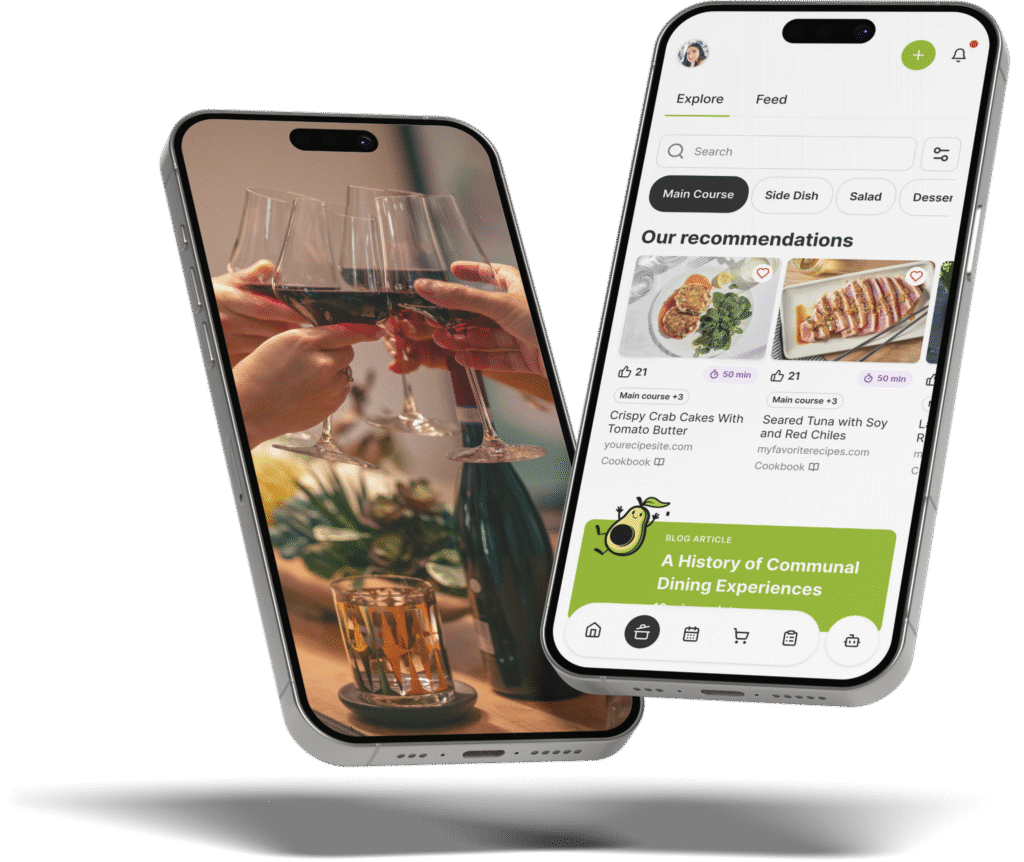
The Gourmet Host mobile app transforms how you plan multi person dinners by combining recipes, menus, lists, RSVPs, and cost sharing into one collaborative platform. Instead of managing a disjointed grocery application alongside separate notes and calendar invites, you get an interactive event page.
Guests can view the menu directly and easily note their allergies before the big day arrives.
Our shared menus and guest dietary notes help you review ingredients and choose suitable replacements before cooking. This intelligent platform acts like a digital organizer you can always count on for organizing your menu adjustments.
You can invite friends to contribute dishes and instantly split grocery costs through the event’s cost-sharing tools. Download The Gourmet Host to replace fragmented spreadsheets and grocery tools with a single comprehensive dinner party planning solution.
Frequently Asked Questions
How do I sync AnyList web with my mobile device?
Syncing your computer data to your smartphone happens automatically through cloud storage provided you use the exact same account credentials on both devices. You can type your complete grocery list on a desktop monitor, and the application instantly updates the mobile version via an internet connection. This rapid data transfer guarantees your phone reflects the newest edits before you walk into the grocery store, eliminating confusion in the aisles.
Is AnyList web free to use for basic lists?
The basic version of the desktop application typically requires a paid premium subscription to access the browser interface. Users relying solely on the free mobile application cannot log into the web portal to type lists on a computer keyboard. Upgrading to a paid account unlocks the desktop view for faster grocery coordination and highly efficient typing sessions when planning large dinners.
Can I import recipes directly into AnyList web?
You can easily import recipes into the browser interface by pasting a web link directly into the application recipe manager. The desktop software extracts the ingredient quantities and lets you add selected ingredients to your master shopping list categories. This direct import process eliminates the need to manually type out individual spices, saving you significant preparation time during the early planning stages.
How do you share a list with a fellow host?
Sharing your digital grocery plan involves sending an email invitation directly through the application settings menu. The invited person receives full access to view, edit, and cross off items on the exact same master list in real time. This digital collaboration prevents two people from buying the same carton of milk during separate store visits, completely optimizing your shared shopping trip.
What is the difference between AnyList and a meal planner app with a shopping list?
The difference between a standard grocery tool and a meal planner app is that the latter incorporates calendar scheduling, specific portion mathematics, and complete menu structures directly into the planning process. A basic list focuses primarily on crossing off items during checkout. Using a dedicated meal planner provides a comprehensive event timeline that standalone grocery checkers entirely lack, supporting better overall organization.
Can I print my shopping list from the web interface?
Printing your final grocery plan directly from the browser provides a physical paper copy for quick reference at the supermarket. You can select the print command within the desktop interface to format the item categories perfectly for standard printer paper. Holding a physical document helps avoid constant screen checking while pushing a heavy shopping cart through crowded aisles, offering a highly focused shopping experience.
Continue Reading:
More On Grocery List Apps
- 7 Shopping List Template Tips for Easy Dinner Parties
- 7 Google Shopping List Hacks for Dinner Party Hosts
- 7 AnyList App Tips for Flawless Dinner Parties
- 7 Ways a Shopping List Meal Planner App Simplifies Hosting
- 7 Meal Planner App With Shopping List Tips For Hosts
More from The Gourmet Host
- Kitchen Organization Hacks That Keep Your Space in Order
- Food for a Crowd: Easy Menus to Feed a Big Group
- How to Host Your First Dinner Party With Ease
- One Dinner Party Menu That Works for Every Diet
- The Gourmet Host vs Plan to Eat: Which Mobile App Fits Your Kitchen?
Explore TGH Categories