7 Ways a Shopping List Meal Planner App Simplifies Hosting
 14 min read
Organizing a dinner party requires a shopping list meal planner app to coordinate menus for your four to twelve guests.
This digital tool replaces scattered notes with a unified grocery management system. You can easily map out appetizers, main courses, and drinks in one central location.
Relying on a unified platform prevents forgotten ingredients and last-minute grocery runs.
This guide explores specific techniques for building cohesive menus and managing dietary preferences using digital tools. You will learn exactly how to configure your planner to simplify supermarket runs and event coordination.
At a Glance
- Digital meal planners instantly merge multiple recipes into a single categorized grocery checklist.
- Modern tools track home bar ingredients alongside your standard food requirements.
- Hosting platforms collect guest dietary notes so you can check ingredients and plan suitable substitutions.
- Collaborative features allow co-hosts to divide purchasing responsibilities and split expenses fairly.
What a shopping list meal planner app means for home hosts
Using a shopping list meal planner app means turning your phone into an interactive command center for your entire dinner party.
This software goes far beyond a basic text document. It actively categorizes your grocery needs by grocery store aisle and recipe.
Hosts often confuse these advanced platforms with basic note-taking applications.
A true meal management system reads your selected recipes and automatically extracts the required quantities. You never have to manually type out ingredients or guess the required amounts.
This digital structure keeps your attention focused entirely on your guests rather than disorganized paper scraps.
Applying a dedicated platform ensures you buy exactly what you need for your gathering. The system prevents over-purchasing and keeps your kitchen prep beautifully organized from start to finish.
How does a shopping list meal planner app streamline menu building?
A robust shopping list meal planner app consolidates recipes from various sources, allowing hosts to build cohesive dinner party menus instantly. By combining appetizers, mains, and desserts into one dashboard, hosts save hours of manual planning and reduce the friction of tracking ingredients across different cookbooks.
Agree on shared spending using The Best Apps to Split Bills and Group Food Costs.
Sync your favorite web recipes into the app to instantly generate a master ingredient list for your next gathering.
This immediate conversion eliminates the repetitive task of writing down individual items. You simply paste a URL, and the software handles the extraction process automatically.
Research supports the positive effects of structured food preparation.
A 2017 study from the University of Paris found that men who planned their meals were less likely to be obese, while women who planned their meals were less likely to be obese or overweight. Organized preparation directly influences better purchasing decisions at the supermarket.
Many hosts mistakenly believe they must create entirely new menus from scratch for every gathering.
Curating tested recipes into a digital hub yields much better results than inventing new dishes. Using established 7 Shopping List Template Tips for Easy Dinner Parties keeps your focus on execution rather than trial and error.
Your digital platform groups similar items together automatically.
Produce, dairy, and dry goods populate under their own headings for rapid navigation through the store aisles. This intelligent sorting means you only visit each grocery section once during your trip.
|
Turn Menu Choices Into a List |
Can meal planning apps organize welcome drinks and home bar supplies?
Yes, modern hosting apps manage beverage planning just as efficiently as food. Hosts can add welcome drinks, wine pairings, and non-alcoholic options directly to the menu, ensuring the shopping list includes all necessary mixers, garnishes, and spirits alongside standard grocery items for the gathering.
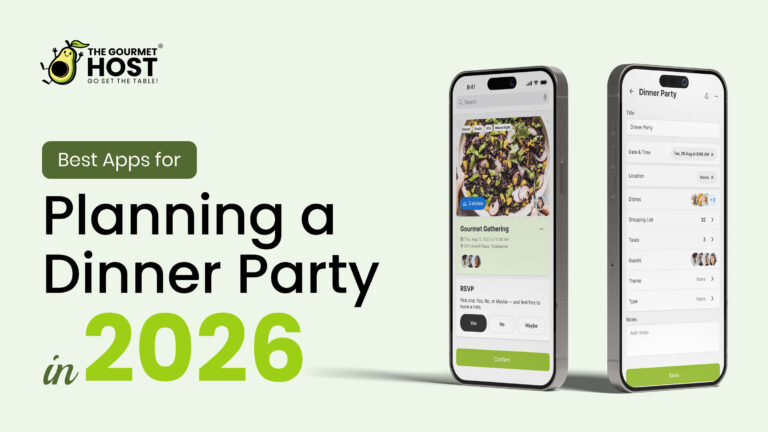
Compare planning tools with Best Apps for Planning a Dinner Party in 2026.
Add a large batch of rich simple syrup to your app’s shopping list to easily craft multiple welcome drinks.
Having essential mixers ready allows you to serve arriving guests immediately. You can transition rapidly from greeting friends to handing them a beautifully prepared beverage.
Cocktail preparation heavily relies on specific foundational ingredients.
Across more than 5,000 cocktail recipes in the Difford’s Guide database, rich sugar syrup appears more frequently than any other ingredient. Securing these vital components ahead of time guarantees your home bar operates at peak efficiency.
Digital planners allow you to separate beverage items from the main food list using custom categories.
You can direct a partner to handle the liquor store run while you tackle the primary supermarket visit. This division of labor keeps your preparation timeline moving swiftly.
Beverage planning often gets forgotten until the final hours before an event.
Inputting your signature cocktail recipes into your master menu alongside the food ensures nothing falls through the cracks. Your final grocery check will include the citrus, ice, and garnishes required for perfect drink presentation.
How do shopping list apps handle guest allergies and dietary needs?
Advanced apps allow hosts to collect guest RSVPs and dietary restrictions in one centralized location. When a guest reports an allergy, review the notes against your menu and discuss suitable ingredient substitutions, preparation methods, and cross-contact precautions with that guest.
Spread cooking across the week using Make-Ahead Recipes for Large Groups: The 7-Day Chainv.
Send out a digital RSVP link that requires guests to list their allergies before the finalized shopping list is generated.
Gathering this information early prevents panic during the cooking phase. You gain the exact data needed to modify recipes well before you visit the store.
A common hosting misconception is that a single allergy requires an entirely different menu.
A smart digital tool simply identifies the problematic ingredient and swaps it for an appropriate alternative. You end up preparing one unified meal that safely accommodates everyone at the table.
Dietary preferences directly influence the items populating your digital checklist.
If a friend requires gluten-free pasta, update the menu and shopping list to reflect this requirement. Check the labels and preparation methods before serving.
Centralizing dietary data builds immense trust with your attendees.
Friends feel valued when they realize their specific needs were perfectly integrated into the main menu planning. Your digital system acts as a reliable safeguard against accidental cross-contamination or overlooked food sensitivities.
What is the best way to pair wine using a digital planner?
When utilizing a digital planner, hosts can strategically pair wines by noting the dominant flavors of selected recipes. Rather than simply matching wine to the protein, adding tasting notes to the digital list ensures the purchase of the perfect bottle for the specific dish.
Check suitable menu options in Gluten-Free Dairy-Free Dinner Recipes: A Host’s Guide.
Type the primary sauce ingredients into your app’s notes section to guide your wine selection at the grocery store.
Having flavor profiles written down helps you consult with store clerks effectively. You can easily reference the exact citrus or herb notes defining your main course.
Focusing purely on the meat often leads to incorrect beverage choices.
When matching wine to a dish, Wine Folly recommends pairing the wine with the dominant flavor of the sauce rather than the underlying protein. A digital planner keeps these crucial sauce details front and center during your shopping trip.
Beverage pairing requires precise timing to ensure optimal serving temperatures.
You can schedule chilling reminders within your planner to prompt you hours before guests arrive. Your white wines will hit the table perfectly chilled while your reds breathe properly on the counter.
Organizing your pairings digitally also creates a permanent record of successful combinations.
When a specific Pinot Noir perfectly complements your mushroom risotto, you can save that exact pairing in the app for future reference. Building this personal database transforms you into a highly confident beverage curator.
|
Hosting Tip: check the recipe yield. |
How can meal management apps track home pantry inventory?
Before heading to the grocery store, a comprehensive app allows hosts to cross-reference the generated shopping list with existing pantry stock. This prevents overbuying staples like spices or oils, saving money and reducing waste while preparing for a large home gathering.
Include drinks in your list with Best Batch Cocktails for Effortless Entertaining.
Shop your pantry first by checking off items you already own on your digital list before leaving the house.
Auditing your existing supplies takes only minutes and dramatically reduces your checkout total. You will never again accidentally purchase a third jar of ground cumin.
Several modern applications specialize in this exact inventory management process.
For example, MealBoard is an all-in-one meal management app that stores recipes, organizes grocery lists, and tracks home pantry inventory. Utilizing such features keeps your kitchen cabinets tidy and highly functional.
Applying a digital audit is much more effective than relying on mental checklists.
Incorporating 7 AnyList App Tips for Flawless Dinner Parties ensures you accurately account for dry goods and baking essentials. You gain complete visibility over your available resources before stepping foot in a supermarket.
Inventory tracking also highlights ingredients approaching their expiration dates.
You can actively select recipes that utilize the grains or canned goods you need to clear out. This strategic approach to menu building maximizes your grocery budget while maintaining high culinary standards.
Do grocery planning apps help with co-hosting and splitting costs?
Premium shopping list apps take the awkwardness out of shared expenses by offering built-in cost-splitting features. Co-hosts can claim specific dishes, divide the master grocery list, and automatically calculate who owes what, making collaborative dinner parties smooth and financially transparent for everyone involved.
Assign the appetizer and dessert shopping lists to your co-hosts directly within the app to distribute the workload and costs.
Delegating specific store aisles ensures no one person spends their entire Saturday running errands. A shared digital environment keeps all contributors perfectly synchronized.
Collaborative dinner parties represent a massive shift in how friends gather at home.
A host does not need to shoulder the entire financial or physical responsibility of a twelve-person feast. Using 7 Google Shopping List Hacks for Dinner Party Hosts allows multiple people to check off items in real time from different stores.
Financial transparency prevents underlying resentment among friend groups.
When the application calculates exact totals and shares payment requests, the process feels entirely objective and fair. You eliminate the uncomfortable post-party texts asking friends to reimburse you for expensive cuts of meat.
Digital platforms also allow co-hosts to add their own preferred ingredients to the master list.
If a partner wants a specific brand of sparkling water, they simply type it into the shared document. This open collaboration ensures everyone feels invested in the gathering’s success.
How do digital planners handle host gifts and table decor?
A great hosting app serves as a complete event dashboard rather than just a food planner. Hosts can add non-grocery items like floral arrangements, candles, party games, and thank-you items to the master shopping list, ensuring the table setting is as meticulously planned as the meal.
Create a separate Table and Decor category in your app to track candles, napkins, and floral purchases.
Consolidating these aesthetic details alongside your grocery needs prevents you from forgetting critical ambiance elements. You can coordinate your napkin colors directly with your seasonal menu ingredients.
Small touches dramatically improve the atmosphere of your home event.
The Emily Post Institute states that host gifts should be small, simple items such as cocktail napkins, picture frames, or consumables like wine, chocolates, and jams. Tracking these items in your planner helps you prepare gracious parting gifts for attendees or co-hosts.
Managing decor digitally allows you to track expenses beyond the supermarket.
Setting a strict budget for floral centerpieces within the app ensures your aesthetic choices align with your overall financial plan. You maintain complete control over the total event cost from start to finish.
A unified checklist also reminds you to prepare the physical gathering space.
You can add tasks like ironing the table runner or polishing the glassware directly into your master event timeline. Your dining room will look perfectly inviting by the time the first doorbell rings.
| Management Method | Recipe Integration Speed | Allergen Handling Capability | Expense Tracking Feature |
|---|---|---|---|
| Pen and paper notes | Requires writing out 15 to 20 individual ingredients manually. | Relies purely on the host remembering guest dietary texts and emails. | Requires collecting paper receipts and manually calculating math later. |
| Basic checklist applications | Requires copying and pasting each item line by line from websites. | Requires creating a separate text list to track food sensitivities. | Requires downloading a secondary finance application to divide bills. |
| The Gourmet Host mobile app | Finds web recipes and builds shopping lists from your selected menu. | Collects dietary notes through RSVPs for the host to review. | Tracks shared spending and shows balances through the integrated cost-splitter tool. |
|
Share the Work Before the Meal |
How The Gourmet Host Helps You Apply a Shopping List Meal Planner App
Managing a dinner party for four to twelve guests requires much more than just cooking fantastic food.
Coordinating an amazing evening requires organizing the people, preparing the physical space, and curating the beverages. Keeping track of RSVPs, dietary needs, and shared expenses quickly overwhelms traditional paper checklists.
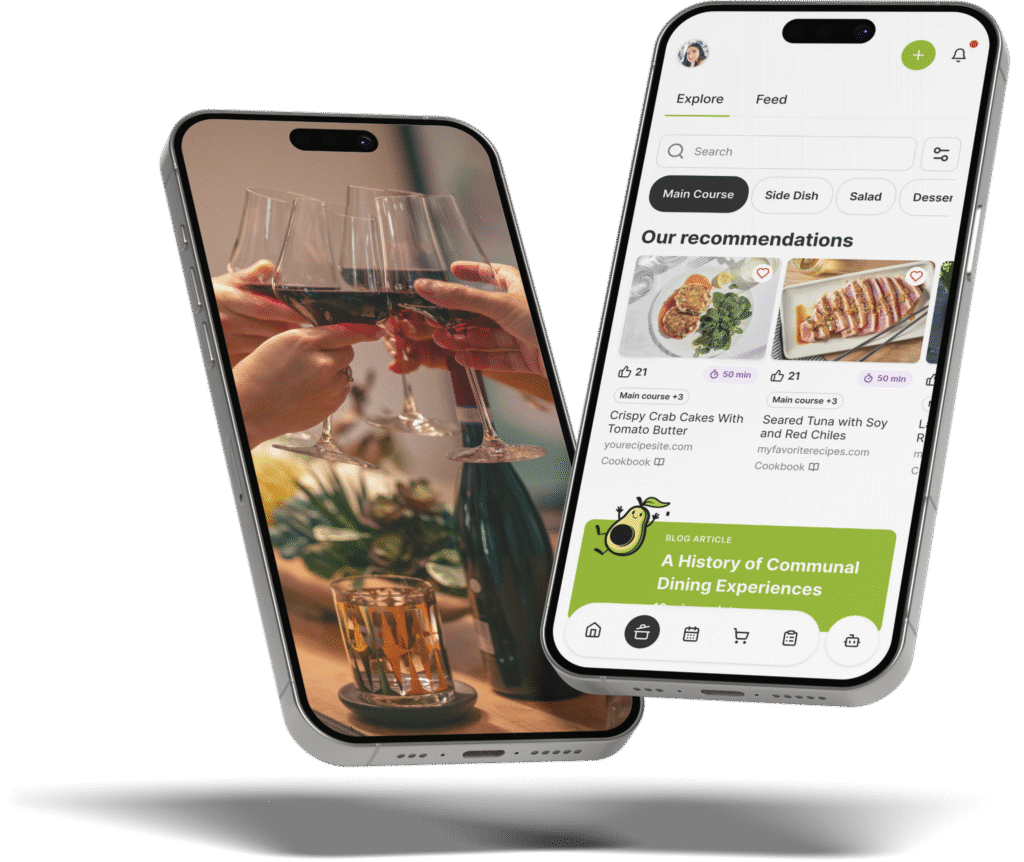
The Gourmet Host mobile app functions as a highly capable digital organizer designed specifically for collaborative gatherings.
Start with over 500 recipes from professional test kitchens, or search recipes from across the web and jump straight to the original source. The platform extracts your chosen meals and builds a comprehensive shopping list instantly.
Shared menus and guest dietary notes help you plan a meal with every attendee in mind.
Guest dietary notes stay with your event details so you can check recipes and choose suitable replacements before you cook. This intelligent system acts exactly like a digital organizer you can always count on.
Our interactive event page handles the logistical details beautifully.
Create your event, add a specific theme, then build your menu for all guests to view before they arrive. Send out the link to collect RSVPs and track food preferences in one centralized location.
Tired of always handling the work alone?
The platform makes it incredibly easy to invite co-hosts, assign specific dishes, and split costs fairly. Our cost-splitter simplifies post-party logistics so you can focus entirely on reliving the fun.
You can also share recipes, coordinate task lists, and let guests claim potluck dishes from the invitation link before the event begins.
Frequently Asked Questions
What is the best app for creating a shared grocery list?
The Gourmet Host mobile app provides an exceptional shared grocery list experience for organizing group dinners. The platform allows multiple co-hosts to access the same centralized ingredient checklist simultaneously. Users can assign specific grocery items to different friends, ensuring rapid shopping trips and perfect coordination for large gatherings.
How do meal planning apps save money on groceries?
Digital planning tools save money by cross-referencing required recipe ingredients against your current home pantry inventory. Checking off items you already own prevents the accidental purchase of duplicate spices or cooking oils. These platforms also calculate exact ingredient quantities, ensuring you only buy what you will actually consume.
Can I import web recipes directly into a meal planner app?
Yes, advanced hosting platforms allow users to paste a web link directly into the software to extract the recipe data instantly. The application reads the external webpage and automatically pulls the required ingredients into your master shopping list. This immediate conversion completely eliminates the need to type out items manually.
Do grocery list apps work for planning large dinner parties?
Grocery applications scale perfectly to accommodate large dinner parties of twelve guests or more. Hosts can adjust the serving sizes within the software to automatically multiply the required ingredient amounts. The digital format keeps massive lists neatly categorized by store section, preventing overlooked items during large-scale event preparation.
How can a host easily track guest food allergies?
A digital platform tracks food allergies by sending interactive RSVP links directly to invited attendees. Guests input their specific dietary restrictions into the form before the host finalizes the menu. The host then checks recipe ingredients and discusses suitable substitutions with the guest before the final shopping trip.
What features should I look for in a collaborative meal planning app?
A highly effective collaborative application must feature automatic recipe extraction, digital RSVP tracking, and real-time list synchronization. Built-in financial tools are also critical for modern gatherings. An integrated cost-splitter calculates shared expenses automatically, allowing multiple co-hosts to divide the grocery bill fairly without awkward money-related conversations.
Continue Reading:
More On Grocery List Apps
- 7 Shopping List Template Tips for Easy Dinner Parties
- 7 Google Shopping List Hacks for Dinner Party Hosts
- 7 AnyList App Tips for Flawless Dinner Parties
- 7 Meal Planner App With Shopping List Tips For Hosts
- 7 AnyList Web Tips to Plan Better Dinner Parties
More from The Gourmet Host
- The Best Apps to Split Bills and Group Food Costs
- Best Apps for Planning a Dinner Party in 2026
- Make-Ahead Recipes for Large Groups: The 7-Day Chainv
- Gluten-Free Dairy-Free Dinner Recipes: A Host’s Guide
- Best Batch Cocktails for Effortless Entertaining
Explore TGH Categories