7 Google Shopping List Hacks for Dinner Party Hosts
 12 min read
Organizing a google shopping list allows you to plan gathering details for 4 to 12 guests with precision and ease. Managing grocery runs requires tracking multiple ingredients across different stores.
This guide shows you how to structure your digital lists to prevent duplicate purchases while learning exact calculations for beverages and main courses.
We cover how to time your grocery trips alongside your preparation schedule. Your next gathering will feature a beautifully coordinated menu with minimal friction.
At a Glance
- Sharing your digital list divides grocery runs among collaborators.
- Calculating exact bottle counts prevents mid-party beverage shortages.
- Portioning main courses accurately minimizes excess leftovers.
- Checking pantry staples early guarantees fresh baking ingredients.
- Scheduling your store visits streamlines your party preparation timeline.
What a Google Shopping List Means for Dinner Party Hosts
Using a google shopping list involves creating a shared digital checklist in Google Keep, accessible from your smartphone and web browser. This tool helps you organize grocery runs for dinner parties by syncing additions and checked-off items in real time.
It goes beyond a basic paper note by allowing multiple collaborators to track ingredients simultaneously.
This approach applies specifically when planning multi-course meals for small to medium groups. A digital format is often confused with a static checklist, but a true shared list updates instantly across devices.
Utilizing this method keeps your menu on track and guarantees you purchase exact quantities for your gathering.
How Do You Share A Google Shopping List With Co-Hosts?
Sharing a google shopping list allows co-hosts to divide and conquer grocery runs effectively. Adding collaborators ensures everyone sees real-time updates when items are checked off.
Keep the preparation surface usable with Kitchen Counter Organization Ideas for Easy Hosting.
This prevents duplicate purchases for your dinner party and keeps the menu on track.
Inviting friends to collaborate takes only a few taps on your screen. You simply open the list settings, click the collaborator icon, and add your co-host’s email.
Once the list is shared, agree who will buy categories like appetizers or ice.
Delegating tasks ensures no single person manages the entire store trip alone. Splitting the aisles reduces the time spent navigating crowded supermarkets on busy weekends.
Your co-host can pick up fresh produce while you secure the main course ingredients at the butcher counter.
Digital coordination replaces text message chains that frequently lead to forgotten items. Everyone involved in the meal preparation sees exactly what remains to be purchased.
This works because real-time syncing confirms when a collaborator successfully locates a hard-to-find spice for your signature dish.
Clear communication through a shared platform streamlines the entire purchasing phase. You avoid arriving home only to realize both of you bought heavy cream for the dessert.
|
Keep Your Gathering Together |
How Much Wine Should Be On Your Google Shopping List?
Calculating alcohol needs accurately prevents mid-party store runs. A standard gathering requires balancing variety with sufficient volume.
Organize drinks separately with How to Set Up a Home Bar for Hosting That Actually Works.
You can quickly calculate the exact number of required bottles based on your final guest count, ensuring glasses stay full throughout the evening.
Purchasing the right amount requires simple math rather than guesswork. To secure enough volume, you can use a formula to calculate event wine needs by dividing the total guest count by 2.15 to determine the required number of 750 ml bottles.
This ensures everyone has access to their preferred vintage.
Understanding serving sizes helps you budget effectively for the evening. A standard tasting pour of wine is 2 to 3 ounces (75 to 90 ml), allowing a single 750 ml bottle to yield about 10 tasting pours.
Keeping these metrics in mind prevents overspending on unnecessary cases.
To apply this method, create a dedicated ‘Drinks & Bar’ category on your list. Write down the exact number of bottles required for your guest count next to specific varietals.
This precise tracking keeps your budget aligned with your menu plan.
Categorizing your beverages separates them from your food items for easier navigation. Your co-hosts will know exactly how many bottles of red and white to secure.
How Do You Add Cocktail Ingredients To Your List?
Welcome drinks set the tone for your gathering and require their own grocery sub-list. Classic cocktails rely on specific ratios, so calculating the total ounces needed for your guest count ensures your home bar is fully stocked without overspending on excess liquor.
Choose dishes you can prepare early using Make-Ahead Appetizers for Stress-Free Party Hosting.
Mixing a signature drink simplifies the evening compared to offering a full open bar.
You only need to purchase the precise spirits and mixers for one or two recipes. This targeted approach prevents your google shopping list from becoming overwhelmingly long.
Precision in your ratios guarantees a perfectly balanced beverage.
For example, a classic Margarita recipe uses a 2:1:1 ratio balancing tequila, lime juice, and triple sec. Knowing this formula allows you to scale the recipe effortlessly for any group size.
Multiply your cocktail ratio by your guest count to calculate total ounces required.
Then add the corresponding liquor bottle sizes to your shopping list. This actionable step ensures you buy exactly what you need for the evening.
Do not forget to list garnishes and ice alongside your spirits.
Citrus wheels and fresh herbs require a trip to the produce aisle, which should be categorized separately. Proper categorization guarantees your welcome drinks look and taste spectacular upon arrival.
|
Hosting Tip: agree who is buying what. |
How Do You Calculate Meat Portions For The Grocery List?
Buying the correct amount of a main course is critical for feeding 4 to 12 guests. Accurately estimating meat portions accounts for bone weight and cooking loss.
Follow up on the headcount with RSVP Etiquette: 8 Host Rules for Replies and No-Shows.
This ensures every guest leaves satisfied while minimizing excessive leftovers in your fridge.
Proteins often represent the largest expense for any dinner party menu. Estimating the required weight incorrectly can lead to budget overruns or hungry friends.
Relying on professional guidelines removes the uncertainty from your trip to the butcher counter.
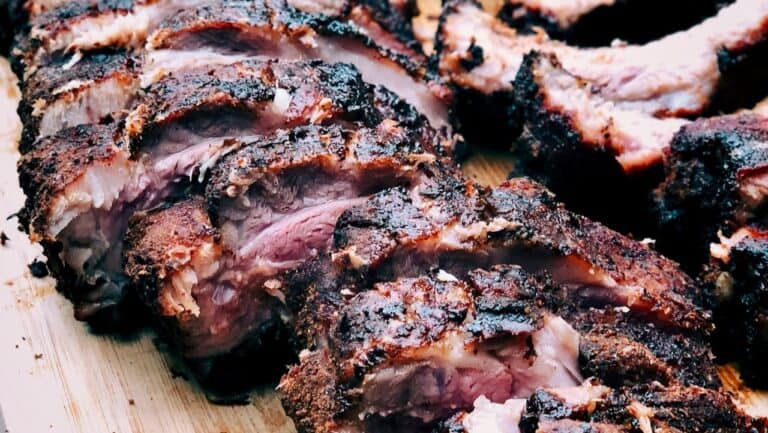
Whole birds and bone-in roasts require a larger per-person allowance. You should plan to buy 1.25 pounds of raw whole turkey per guest to account for cooking loss and inedible weight.
This metric scales perfectly whether you are hosting four friends or a dozen guests.
Multiply your confirmed RSVP count by the recommended portion weight. Write the exact total needed on your list before visiting the grocery store.
Having this number clearly stated prevents last-minute panic at the meat counter when ordering.
Specify the exact cut and preparation requirements on your digital checklist. Include notes for the butcher, such as requesting a butterflied roast or trimmed fat caps.
How Should You List Pantry Staples and Baking Ingredients?
Checking your pantry before finalizing your list prevents buying duplicate baking ingredients. Certain items require special storage to stay fresh.
Compare wider event-planning needs with Best Party Planning Apps for Hosts and Their Guests.
Always check expiration dates and note on your list if you need to replace flours that have spoiled.
Baking relies entirely on the chemical reactions of fresh ingredients. Using expired leavening agents or stale grains will ruin your carefully planned dessert.
Inspecting your cupboards early saves you from a frustrating emergency store run during prep time.
Whole grains degrade faster than highly processed alternatives. In fact, whole grain flour stored at cool room temperature has an expected shelf life of one to three months.
Tracking these timelines ensures your artisan breads and crusts maintain optimal flavor.
Nut flours require even more specific handling to maintain quality. Experts advise storing almond flour in the freezer to extend its shelf life and prevent its oils from going rancid.
Add a note on your digital list to check the freezer stock before purchasing more.
Create a ‘Check Pantry First’ section on your list to verify the freshness of flours and grains. Perform this audit before heading to the supermarket to purchase replacements.
How Do You Time Your Shopping And Party Prep?
An effective grocery list works hand in hand with your party preparation timeline. Scheduling your shopping trips days in advance allows you to prep ingredients early.
This focus lets you set the table and arrange formal seating plans for your guests.
Dividing your purchases into perishable and non-perishable runs simplifies your week. Dry goods and canned items can sit in your pantry for days before the gathering.
Reserving the final day strictly for fresh seafood or delicate produce ensures optimal quality.
Mapping out your workflow prevents last-minute kitchen panic. Establishing a party preparation schedule by working backward from the party date helps estimate required preparation times.
Your google shopping list should align perfectly with this staggered cooking timeline.
Add a ‘buy by’ date next to highly perishable items on your list. Schedule a trip for non-perishables up to a week in advance.
Staggered shopping keeps your refrigerator from becoming overcrowded before the event.
Finishing your grocery runs early provides time for thoughtful dining room arrangements. Traditional guidelines dictate that the highest-ranked male guest is seated to the immediate right of the hostess.
|
Give Co-Hosts a Shared Plan |
How The Gourmet Host Upgrades Your Grocery Planning
While a google shopping list is a great starting point, coordinating menus for 4 to 12 guests requires a tailored approach. Tracking RSVPs, dietary restrictions, and costs simultaneously demands strong organization.
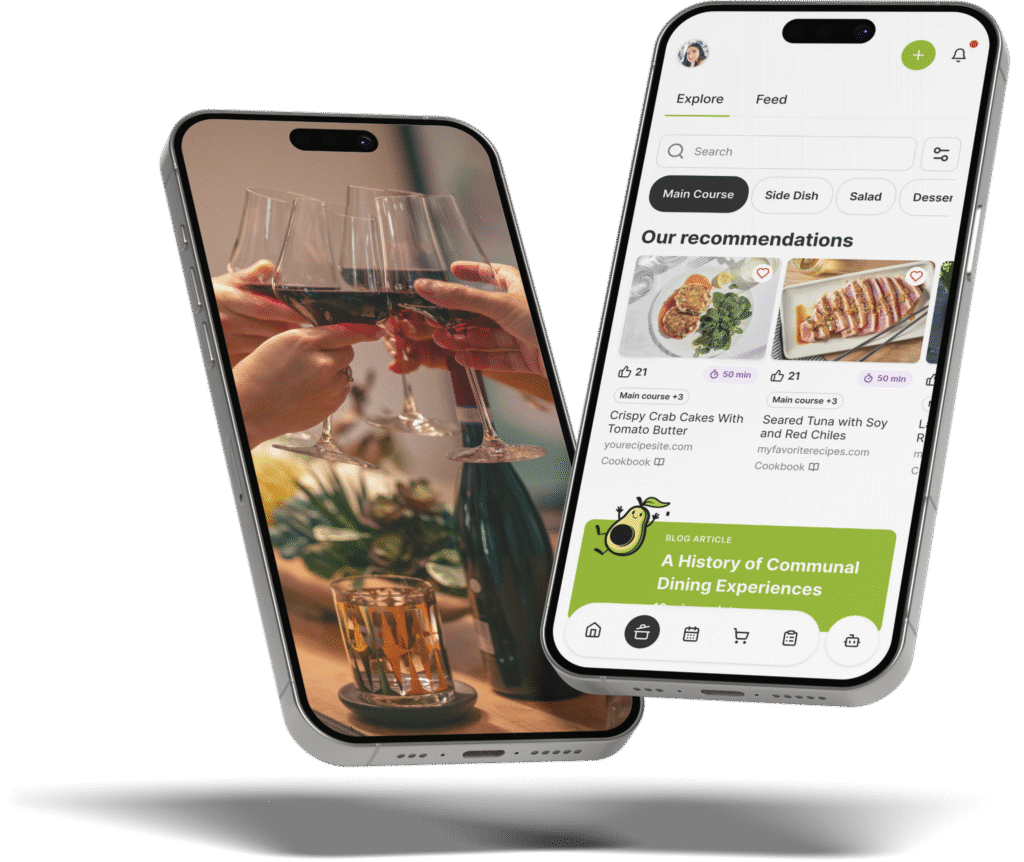
The Gourmet Host mobile app integrates menu planning, guest management, and grocery tracking into one collaborative platform.
Instead of manually typing out items, the app auto-generates your grocery needs directly from 500+ professional test kitchen recipes. You can also search recipes from the web and save your chosen dishes in your workspace.
It keeps guest dietary notes alongside the menu for you to review, functioning as a digital organizer.
Creating a custom shopping list template manually takes time away from actual cooking. Our app removes this friction by converting your selected dishes into a sorted grocery plan instantly.
You can easily invite co-hosts, assign specific dishes, and split costs directly within the interface.
The difference between a basic checklist and a dynamic planning tool is synchronization. When a guest updates their RSVP or adds a dietary restriction, you can review the note and adapt your menu.
You never have to wonder if your ingredient quantities are still accurate.
Use The Gourmet Host to sync your menu with a dynamic template. This list updates as your menu changes, while cost sharing and dish assignments help you divide the work.
Download the app today to simplify your preparations and focus on sharing great food with your friends.
Frequently Asked Questions
Can you organize a google shopping list by store aisle?
Yes, you can manually organize your google shopping list by store aisle. Creating specific category headers like “Produce,” “Dairy,” and “Meat” allows you to group related ingredients together. Sorting items this way prevents you from walking back and forth across the supermarket. This saves valuable time during your trip.
How do you access your google shopping list on your phone?
You access your google shopping list on your phone through the official mobile browser or dedicated task applications linked to your account. Pinning the webpage to your home screen creates a quick shortcut. This ensures your grocery checklist is always one tap away while navigating crowded store aisles.
Can multiple people edit a shared shopping list at once?
Multiple people can edit a shared shopping list simultaneously. The platform syncs changes in real time across all connected devices. When a collaborator checks off a carton of eggs at one store, it instantly disappears from the active view. This effectively prevents accidental duplicate purchases by other co-hosts.
What is the best app for a shared grocery list?
The best app depends on your specific planning needs. A standard checklist app works well for basic weekly groceries. However, hosts planning multi-course meals prefer The Gourmet Host. It automatically generates grocery requirements from recipes and collects guest dietary notes in one integrated platform.
Can I print my google shopping list for a dinner party?
You can print your google shopping list by opening the list on a desktop browser and using the standard print function. Printing a physical copy provides a reliable backup if your phone battery dies at the supermarket. A paper copy also allows you to manually cross off items with a pen.
Where are Google shopping lists stored now?
Google’s former Shopping List and Assistant notes are now stored in Google Keep. Open Keep in your browser or its mobile app using the same Google account. Check that the list is shared with the right collaborators before relying on it for a joint grocery trip.
Continue Reading:
More On Grocery List Apps
- 7 Shopping List Template Tips for Easy Dinner Parties
- 7 AnyList App Tips for Flawless Dinner Parties
- 7 Ways a Shopping List Meal Planner App Simplifies Hosting
- 7 Meal Planner App With Shopping List Tips For Hosts
- 7 AnyList Web Tips to Plan Better Dinner Parties
More from The Gourmet Host
- Kitchen Counter Organization Ideas for Easy Hosting
- How to Set Up a Home Bar for Hosting That Actually Works
- Make-Ahead Appetizers for Stress-Free Party Hosting
- RSVP Etiquette: 8 Host Rules for Replies and No-Shows
- Best Party Planning Apps for Hosts and Their Guests
Explore TGH Categories