7 Digital Invitations Birthday Tips for Easy Hosting
 12 min read
Planning digital invitations birthday events puts you directly in control of your upcoming gathering. Sending these virtual notes helps you secure accurate headcounts and organize dietary preferences well before the cooking begins.
You will learn exactly when to send your links, how to track replies, and how to scale your menu.
This guide gives you the practical timeline needed to prepare a collaborative menu and welcome drinks for your intimate dinner party.
At a Glance
- Send your online notes three to four weeks before the gathering.
- Follow up directly with guests missing the reply deadline.
- Use private chat groups to organize surprise parties securely.
- Add specific fields to collect food allergy information early.
- Share the hosting duties using an interactive event page.
What “digital invitations birthday” means for home hosts
Using digital invitations birthday tools involves managing your guest list, dietary needs, and event timeline entirely online. This approach replaces paper mail with trackable links sent via text or email.
You rely on these virtual systems to centralize all your planning details for gatherings of four to twelve people. The difference between a simple group text thread and true digital event management is structure.
A proper digital invitation sets a firm date, collects specific structured data like food allergies, and provides a clear deadline for responses.
Moving this process online prevents lost text messages and missed allergy flags. 7 Tips for Birthday Digital Invitations That Wow Guests outlines how this precision keeps your grocery list perfectly accurate.
It ensures you only buy the exact amount of food and wine required for your confirmed headcount.
When Should You Send Digital Invitations for a Birthday?
Send your digital invitations three to four weeks before the gathering. For a standard dinner party, this timeline provides ample notice for scheduling while allowing you to finalize the menu, welcome drinks, and table setting.
Keep the surprise manageable using How to Throw a Surprise Birthday Party That Actually Works.
This timing ensures a relaxed preparation process for the host.
Giving your friends a few weeks to review their calendars increases your attendance rate. A longer runway also gives you the space to test a new recipe or source specialty ingredients for the meal.
The scale of your party dictates exactly how much food you need to buy.
Interestingly, a group of six to eight guests is considered the ideal size for a classic sit-down dinner party. Keeping the group small makes conversation flow naturally around the table.
It also keeps your grocery budget manageable and your cooking process organized. If you want to use customized designs, you might review 7 Tips for Birthday Digital Invitations That Wow Guests to match your visual theme.
Setting early expectations guarantees you can focus entirely on the food.
| Planning Phase | Time Before Party | Host Activity |
|---|---|---|
| Send Links | 3 to 4 Weeks | Lock in date and build menu |
| RSVP Nudge | 2 Weeks | Confirm exact attendee headcount |
| Grocery Run | 2 Days | Purchase fresh ingredients and wine |
Set a clear RSVP deadline of one to two weeks before the party date to ensure you have an accurate headcount for grocery shopping.
|
Keep the Birthday Details Together |
How Do You Handle Unanswered RSVPs for a Home Gathering?
When guests miss the digital RSVP deadline, a direct follow-up is necessary to finalize your headcount and seating arrangements. Reaching out personally ensures you have exact numbers to properly scale recipes and prepare your home bar without overspending.
Agree on shared spending with The Best Apps to Split Bills and Group Food Costs.
Tracking down these missing replies prevents last minute panic when you are trying to finalize your shopping list.
Relying on Best Apps to Send Invitations and Track Your RSVPs allows you to see exactly who opened the link but forgot to click attend. A gentle nudge often resolves the issue instantly.
The Emily Post Institute recommends contacting stragglers by phone approximately two to three weeks before an event if they have not replied by the RSVP deadline.
A quick text message or phone call shows you care about their presence. Frame the question around your need to finalize the menu rather than their forgetfulness.
This approach keeps the interaction light and focused on the meal you are preparing.
Call or text any guests who haven’t responded within two days of your RSVP deadline to confirm their attendance gracefully.
How Can You Throw a Surprise Birthday Party Using Digital Invites?
Organizing a surprise gathering requires careful communication to avoid spoiling the secret. Digital platforms allow you to centralize updates, coordinate arrival times, and delegate tasks among your guests securely.
Coordinate contributions using The Best Potluck Apps to Organize Who Brings What.
This software keeps all planning details safely out of sight from the guest of honor until the big reveal.
Paper invitations run the risk of being intercepted in the mail. Online tools keep the secret contained to specific email addresses and phone numbers.
Setting up a private digital group or chat is an effective way to send invitations and updates for a surprise party without alerting the guest of honor.
You can manage the arrival window precisely so everyone is hidden before the birthday person walks in. You also have the freedom to select specific graphics that hide the true nature of the event.
To explore visual options, 7 Canva Digital Invitations for Better Dinner Parties provides excellent layout ideas for stealthy planning. Securing the information ensures your big reveal happens exactly as planned.
Clearly state SURPRISE in the subject line or main graphic of the invitation so guests immediately understand the need for discretion.
What Details Must Be Included on a Digital Birthday Invite?
Every digital invitation should clearly state the reason for gathering, date, time, location, and reply instructions. Providing these essential details upfront minimizes guest confusion and sets a firm deadline, helping you confidently plan your welcome drinks and meal quantities.
For more gathering ideas, browse Birthday Party Ideas for Adults That Feel Worth the Effort.
Leaving out key information forces guests to text you with constant questions.
A well crafted event page answers everything immediately, from parking instructions to the expected dress code. You want your friends to know exactly what to expect when they arrive at your door.
The term RSVP is an abbreviation for the French phrase “Répondez, s’il vous plaît,” which means “Please reply.”
Understanding what your guests can eat is just as important as knowing when they will arrive. Many hosts use Paperless Post Alternative: Invitations Built Into Your Party Plan to streamline this dietary data collection.
Gathering allergies early lets you adjust recipes rather than cooking a separate meal at the last minute.
Include a specific field in the digital invite for guests to list any food allergies or dietary restrictions before you plan the menu.
|
Hosting Tip: check surprise-party recipients. |
How Do You Coordinate Co-Hosts and Share Party Costs?
Sharing the load makes hosting more enjoyable and financially sustainable. Modern digital invitations often pair with platforms that let you assign specific dishes to friends or split the cost of groceries and alcohol.
Plan around dietary notes with How to Host a Mixed-Diet Dinner Party Confidently.
This capability transforms an overwhelming solo effort into a highly collaborative, organized dinner party.
You do not have to cook every single component of a multi-course meal by yourself. Inviting friends to bring an appetizer or a specialty dessert lightens your cooking schedule and keeps you out of the kitchen during the party.
Exploring 5 Save Date Online Invitations Tips for Easy Hosting can help you establish these collaborative expectations early.
Some online systems even allow guests to claim items on a virtual list. Finances also play a significant role in modern entertaining.
Collecting funds ahead of time allows you to purchase high quality ingredients without covering the entire bill alone. It encourages a community feel where everyone contributes to the success of the dinner.
Use a cost-splitting app or feature linked to your event page to divide the grocery bill transparently after the birthday dinner.
How Can You Plan the Drink Menu Based on the RSVP Count?
Once your digital RSVPs are in, you can accurately plan your home bar and welcome drinks. Knowing your exact guest count allows you to calculate the precise amount of wine, spirits, and non-alcoholic options required for the evening.
This precision ensures every single guest feels thoughtfully included and catered to throughout the night.
Buying beverages before you have a final headcount often leads to excess spending or a shortage of popular options. A confirmed list allows you to match specific wine pairings to your menu.
A standard tasting pour is 2 to 3 ounces, allowing a standard 750ml bottle of wine to yield approximately 10 tasting pours.
If you plan to serve mixed drinks, you can scale your batch recipes accordingly. The traditional punch formula follows the numeric ratio of 1 sweet, 2 sour, 3 strong, and 4 weak.
Knowing your exact numbers means you can mix the perfect pitcher right before the doorbell rings.
Calculate your wine needs by planning for roughly two drinks per guest, keeping in mind standard bottle yields when stocking your home bar.
How Can You Use Digital Tools to Build Interactive Food Stations?
Organizing an interactive meal requires clear instructions sent before the party begins. Digital invitations allow you to explain the interactive concept, such as a roll-your-own sushi bar or taco station, setting the tone for a highly engaging evening.
This clarity prepares guests to wash their hands and participate in the cooking process.
Sending these details early helps your friends dress appropriately and arrive ready to help. Interactive dinners break the ice instantly because everyone shares a common task upon arrival.
Interactive food stations, such as a Gyoza wrapping station, allow guests to participate in food preparation while socializing at a party.
You can use your event page to assign specific topping duties to different attendees. Reviewing 7 Digital Graduation Invitations Tips for Home Hosts shows how effectively you can manage potluck style contributions through an online portal.
This approach keeps the kitchen lively and drastically reduces your active cooking time.
Detail the interactive menu concept directly in the event description so guests arrive excited to participate in the meal assembly.
|
Share the Work and Spending |
How The Gourmet Host Helps You Manage Digital Birthday Invitations
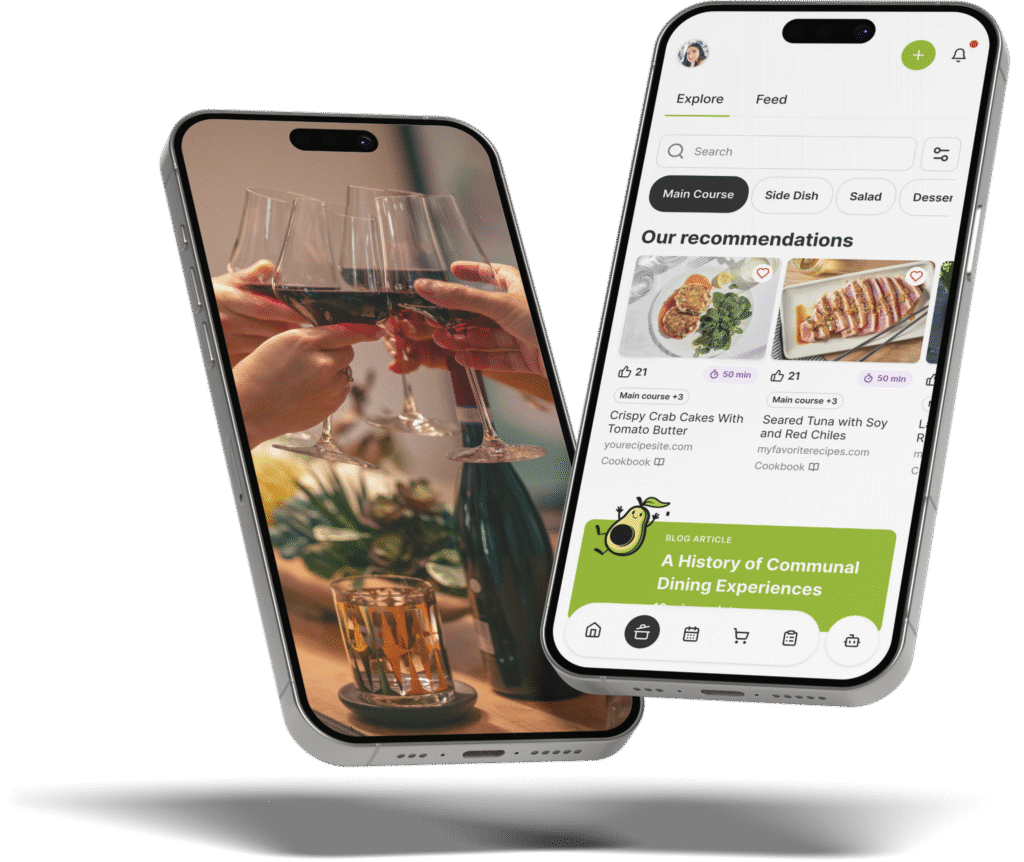
Planning a birthday dinner involves more than just picking a recipe. The Gourmet Host transforms your device into a digital organizer, letting you build interactive event pages, track RSVPs, and manage your entire gathering.
It keeps dietary notes, shared duties, and cost-splitting in one convenient place.
You start by creating an interactive event page right in The Gourmet Host app. Add a theme, set your time, and build a customized menu for all your guests to review.
This transparency helps guests share their dietary needs before it is time to eat.
The system keeps guest dietary notes with your event for you to review against recipes. Check ingredient labels and preparation methods with friends who have specific food sensitivities before choosing replacements.
It functions exactly like a digital organizer you can always count on.
Are you tired of always doing it all? The app makes it easy to invite co-hosts and assign specific dishes across your group.
7 Digital Invitations for Wedding Events Made Easy highlights how splitting duties keeps the host out of the kitchen.
Our built-in cost-splitter simplifies post party logistics so you can focus entirely on reliving the fun. The Gourmet Host also lets you share recipes, grocery lists, and tasks with your co-hosts before the event.
Because the future of dinner parties is entirely collaborative.
Create an interactive event page in The Gourmet Host app to collect guest dietary notes and generate a shared shopping list from your chosen menu.
Frequently Asked Questions
How far in advance should I send digital birthday invitations?
Send your digital invitations three to four weeks prior to the event date. This window gives your friends ample time to check their schedules and secure childcare if needed. It also provides you with enough time to finalize your grocery lists and select the perfect wine pairings.
Can I use a digital invite for a formal birthday dinner?
You can easily use an online platform for a formal dinner. Choose an elegant design template and use formal language in your event description to set the appropriate tone. Guests appreciate the convenience of clicking a link to confirm their attendance for an upscale meal, similar to how 7 Digital Invitations for Wedding Events Made Easy organizes formal seating.
How do I ask about dietary restrictions on a digital invitation?
Include a required question field when guests click to accept the invitation. Phrase it simply by asking them to list any food allergies or specific dietary needs. Collecting this information upfront prevents cooking mishaps and ensures you can prepare safe, delicious food for everyone.
What is the best way to handle guests who don’t RSVP on time?
Call or text the missing guests directly a day or two after your stated deadline. Frame the conversation around finalizing your cooking preparations and headcount. A quick, polite follow-up usually secures an immediate answer without causing any awkwardness between friends.
Is it okay to ask guests to contribute to a birthday dinner?
Asking close friends to contribute to a casual dinner party is perfectly acceptable. Use an interactive event page to let guests claim specific side dishes or beverages to bring. Alternatively, you can use a cost-splitting tool to share the grocery expenses for a collaborative meal.
Can online invitations help manage unexpected plus ones?
Online event pages allow you to restrict the number of guests each person can bring. You toggle a setting that limits the RSVP count strictly to the invited individual. This precise control protects your seating chart and prevents you from running out of prepared food.
Continue Reading:
More On Digital Invitations and RSVPs
- 7 Canva Digital Invitations for Better Dinner Parties
- 7 Digital Invitations for Wedding Events Made Easy
- 7 Tips for Birthday Digital Invitations That Wow Guests
- 5 Save Date Online Invitations Tips for Easy Hosting
- 7 Digital Graduation Invitations Tips for Home Hosts
More from The Gourmet Host
- How to Throw a Surprise Birthday Party That Actually Works
- The Best Apps to Split Bills and Group Food Costs
- The Best Potluck Apps to Organize Who Brings What
- Birthday Party Ideas for Adults That Feel Worth the Effort
- How to Host a Mixed-Diet Dinner Party Confidently
Explore TGH Categories