7 Digital Graduation Invitations Tips for Home Hosts
 12 min read
Sending digital graduation invitations kicks off the celebration process for your closest friends and family members. Organizing a smaller gathering of 4 to 12 people gives you the chance to craft an intimate dinner menu rather than a massive buffet.
You want to focus on good food and great company. This guide walks you through exactly when to send your virtual invites, how to calculate portions based on RSVPs, and ways to prep your menu in advance.
Taking these steps ensures you spend more time with your guests.
At a Glance
- Send your digital graduation invitations two to six weeks before the gathering.
- Use digital RSVP tools to capture final headcounts for accurate recipe scaling.
- Calculate wine needs precisely and chill white wines before guests arrive.
- Rely on small finger foods and mini desserts to simplify serving.
- Coordinate menu planning and split costs with collaborative hosting tools.
What digital graduation invitations mean for small home gatherings
For an intimate dinner party, digital graduation invitations serve as your primary planning tool. They replace traditional paper cards with a clickable link that captures essential data for your upcoming event.
You send these e-vites to a select group of 4 to 12 close friends or family members. The format allows you to gather RSVPs, track dietary restrictions, and build excitement for the menu you plan to cook.
Unlike a casual text message, a proper digital invite sets a clear tone for the evening. It bridges the gap between casual get-togethers and formal banquets.
Using these tools makes collecting responses incredibly fast and organized. You can easily apply the principles from Graduation Party Invitations: Wording and Templates to your specific event.
Can you customize digital graduation invitations?
Yes, you can fully customize digital graduation invitations to match your party theme or school colors. Most digital stationary platforms allow you to upload your own photos, change fonts, and adjust the layout. This personalization makes the virtual invite feel just as special as a physical card.
When should you send digital graduation invitations?
Send digital graduation invitations two to six weeks ahead of your gathering. This timeline gives guests ample notice for a 4 to 12 person home dinner party while allowing the host sufficient time to finalize the menu, bar setup, and seating arrangements based on exact headcounts.
Choose the setting with Places to Have a Graduation Party: 15 At-Home Ideas.
According to Emily Post, graduation party invitations should be sent out two to six weeks ahead of the event.
This window prevents schedule conflicts during a historically busy academic season.
Getting the timing right prevents last minute menu adjustments. You can confidently buy ingredients for your appetizers when you know exactly who plans to attend.
The difference between sending early paperless cards and waiting too long is peace of mind.
A proper lead time gives your friends plenty of notice.
Schedule your custom e-vites to go out exactly one month before the party. This hits the sweet spot for guest availability and menu planning.
You can always draw inspiration from 5 Save Date Online Invitations Tips for Easy Hosting to craft your message.
|
Make the Invitation Useful |
How do guests respond to digital graduation invitations?
Guests should respond to digital graduation invitations by following the platform specific directions, typically clicking a button on the e-vite. Clear instructions ensure the host accurately captures the guest count, which is critical for scaling recipes and stocking the home bar for an intimate group.
Set a realistic budget using Graduation Party on a Budget: 12 Smart Ways to Save.
The Emily Post Institute confirms that for E-vites guests should follow platform specific directions to respond.
Prompt replies help you lock in your grocery shopping list without guessing.
Your guests will appreciate a straightforward way to confirm their attendance. A clear button on the screen removes the guesswork from the reply process.
This works because a dedicated RSVP tracker consolidates all responses into a single dashboard.
You never have to search through text messages to find out who is coming.
Include a polite reminder in your invitation description. Ask guests to note any food allergies when they click the RSVP button.
If you want to streamline this further, explore Best Apps to Send Invitations and Track Your RSVPs.
How do you plan party drinks based on your digital RSVPs?
Once your digital graduation invitations yield a final headcount, calculate your drink needs. For an intimate dinner party, divide your total guest count by 2.15 to determine the number of wine bottles required, and be sure to chill white wines perfectly for welcoming toasts.
Plan a relaxed menu with Backyard BBQ Graduation Party: An Easy Host Guide.
Wine Folly advises calculating the total number of wine bottles needed for an event by dividing the guest count by 2.15.
This formula works perfectly for small gatherings of 4 to 12 people.
You also want to serve your beverages at the correct temperature for the best experience. Wine Folly recommends serving white wines at 45 to 55 degrees Fahrenheit for optimal aroma expression.
Matching your beverage quantities to your online invitations data prevents overspending.
You only buy exactly what your specific group will consume.
Add the exact number of wine bottles and non-alcoholic alternatives to your master shopping list. Do this as soon as your RSVP window closes.
Many hosts use strategies from 7 Digital Invitations for Wedding Events Made Easy to format their drink menus.
What are the best make-ahead desserts for a graduation party?
Intimate graduation gatherings call for easy to serve desserts like cupcakes or mini cheesecakes, which eliminate the need for slicing and extra cutlery at the table. You can bake unfrosted cupcakes up to two months in advance for easier party prep.
For food quantities, review 14 Easy Sliders for a Big Graduation Party Crowd.
Taste of Home points out that unfrosted cupcakes can be frozen for up to two months.
This allows you to tackle the baking weeks before your guests arrive.
When party day approaches, simply thaw and frost your treats. King Arthur Baking suggests using 3 1/2 to 4 cups of frosting for two dozen cupcakes.
Alternatively, RecipeTin Eats suggests serving mini muffin-tin cheesecakes to eliminate the hassle of slicing, plates, and cutlery. These small portions keep the evening moving smoothly for everyone.
You can easily highlight these dessert options on your 7 Tips for Birthday Digital Invitations That Wow Guests customized template.
Bake and freeze your cupcakes weeks before sending your digital invitations. This significantly reduces your prep time the week of the party.
|
Hosting Tip: include serving details with contributions. |
How do you scale party food for 4 to 12 guests?
When your digital graduation invitations are answered, plan bite-sized foods and scaled-down mains that fit a home kitchen. Sliders are excellent for standing guests, and you can also prepare appetizer boards in advance to free up your kitchen on party day.
Taste of Home favors serving mini sliders at parties because they offer bite-sized finger food that guests can eat while standing.
These mini sandwiches do not require utensils.
For the dessert table, King Arthur Baking notes a single 6-inch round cake provides the ideal serving size for two to four people. You can bake two or three of these mini cakes for a group of 12.
Love and Lemons advises prepping party appetizer board components in advance, noting that whipped feta dip and hard-boiled eggs can be prepared up to three days prior.
Design a menu mixing one make-ahead appetizer board, a tray of sliders, and small cakes. This easily scales for exactly 4 to 12 guests.
You can coordinate these small plates using 5 Save Date Online Invitations Tips for Easy Hosting.
This table breaks down the preparation timeline for your intimate gathering.
| Menu Item | Prep Timeline | Serving Size |
|---|---|---|
| Unfrosted vanilla cupcakes | Freeze up to 2 months prior | 1 pastry per guest |
| Whipped feta dip | Prepare up to 3 days prior | 2 ounces per person |
| Hard-boiled eggs | Boil up to 3 days prior | 1 to 2 halves per attendee |
| Mini beef sliders | Assemble day of event | 2 to 3 sandwiches each |
| Chilled white wine | Cool to 45 to 55 degrees Fahrenheit | 5 ounces per pour |
How do you track dietary needs from your digital graduation invitations?
Tracking dietary needs starts by adding a specific allergy question directly onto your digital graduation invitations. Once replies roll in, the host must adjust the menu to ensure all attendees can safely enjoy the meal without encountering any unexpected dietary surprises.
The Gourmet Host mobile app simplifies this process significantly.
Guest dietary notes stay with your event so you can check recipes and choose suitable replacements.
This acts kind of like a digital organizer you can always count on. Check ingredients and preparation methods directly with guests who have dietary restrictions.
When guests list their allergies on your 7 Canva Digital Invitations for Better Dinner Parties, you immediately know what ingredients to avoid.
The system tracks these preferences automatically for your specific gathering.
Always include a dedicated text field for dietary restrictions on your RSVP form. Review these notes carefully before finalizing any recipes for your dinner party.
How do you coordinate potluck dishes through digital invites?
Coordinate potluck dishes by assigning specific courses on the event page linked to your digital graduation invitations. Inviting guests to bring a side dish or dessert shares the cooking responsibilities, making a multi-course dinner much easier for the primary host.
Because the future of dinner parties is collaborative, you can invite co-hosts, assign dishes, and split costs directly through your event platform.
Providing clear assignments prevents five people from bringing potato salad to your 7 Tips for Birthday Digital Invitations That Wow Guests inspired event. Everyone knows exactly what they need to contribute.
This shared responsibility lets the primary host focus on the main course and beverages.
It reduces kitchen congestion and overall cooking time.
Clearly list which dishes you need help with on your invitation page. Let guests claim specific items as they submit their RSVPs.
|
See Who Is Bringing What |
How The Gourmet Host Helps You Apply Digital Invitation Data
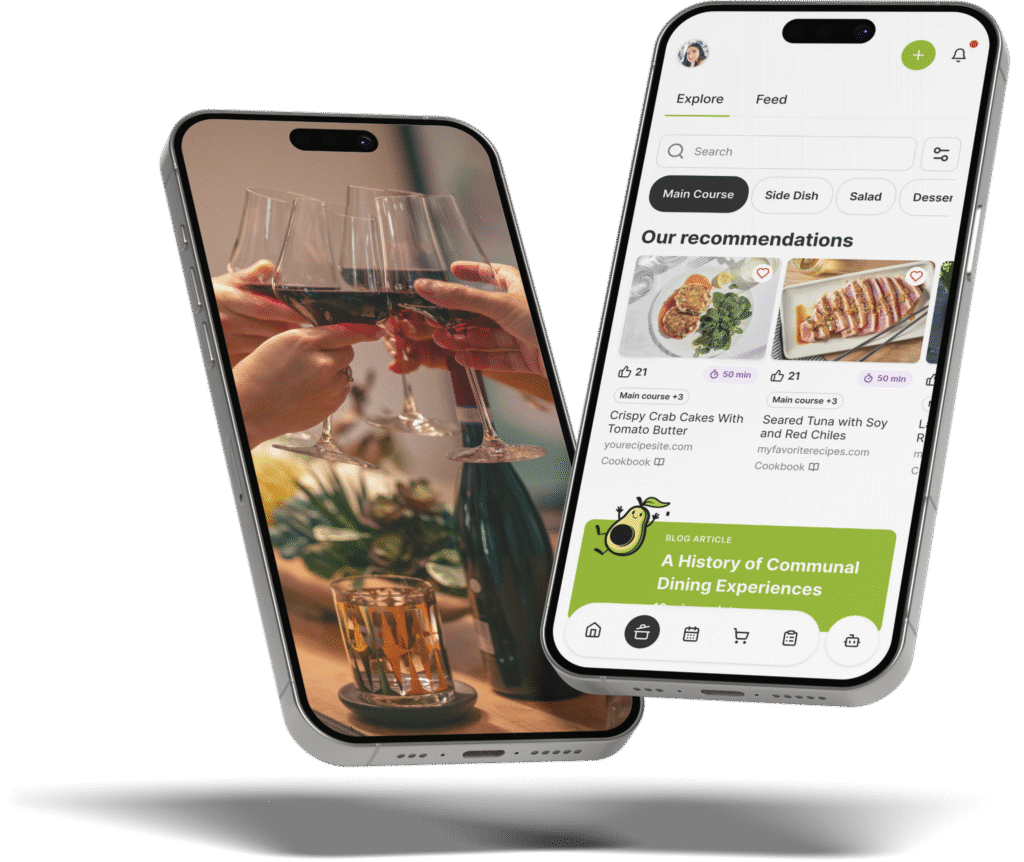
Moving your party planning to The Gourmet Host mobile app transforms how you handle digital graduation invitations and RSVPs. The platform provides an interactive event page where you can set a theme and build a menu for all invited guests to see.
This transparency helps guests share dietary notes before the big day.
As your friends RSVP, the system records their dietary notes for you to review against recipes and ingredient labels.
For an intimate gathering of 4 to 12 friends, it also takes the pressure off the primary host. The application makes it easy to invite co-hosts, assign dishes, and split costs.
After the graduation toasts are finished and the sliders are eaten, our cost-splitter simplifies post-party logistics. Guests can then log their shared expenses and review what they spent, what they owe, and the difference.
Having your menu, shopping list, and guest food preferences in one place saves hours of planning time.
Create a new event page in The Gourmet Host, build your collaborative graduation menu, and send the link alongside your virtual invites.
Frequently Asked Questions
Are digital graduation invitations appropriate?
Digital graduation invitations are completely appropriate for modern celebrations. They offer an efficient way to track guest counts for intimate gatherings of 4 to 12 people. You can quickly gather dietary restrictions and update guests if event details change. Many organizers prefer them over paper cards for home dinner parties.
Do you send digital graduation invitations to everyone?
You should only send digital graduation invitations to the people you actually want to attend your gathering. For a small home dinner party, limit your guest list to close friends and immediate family. This keeps the head count between 4 and 12 people, ensuring you have enough space and food.
What should be included in graduation online invitations?
Your digital graduation invitations should include the graduate’s name, the date, time, and location of your home. You must also include clear RSVP instructions and a deadline. It helps to add a section asking guests about their food allergies or dietary restrictions to help you plan the menu. You can view examples in 7 Digital Invitations Birthday Tips for Easy Hosting.
How do you track RSVPs from paperless post digital invitations?
You can track RSVPs by logging into the invitation platform you used. Our Paperless Post alternative guide discusses other planning options. Most services provide a dashboard showing who has accepted, declined, or not responded. You can then export this list to calculate your final food and beverage quantities.
Are there free online wedding invitations that work for graduations?
Yes, you can easily repurpose 7 Digital Invitations for Wedding Events Made Easy for a graduation party. Simply customize the text fields to reflect the academic milestone instead of a marriage. The elegant templates often work beautifully for a formal graduation dinner party at home.
How late is too late to send digital invitations?
Sending digital invitations less than two weeks before the party is generally too late. Guests need time to check their schedules, especially during busy academic seasons. Giving less than two weeks notice also limits your ability to accurately shop for ingredients and prepare make-ahead desserts.
Continue Reading:
More On Digital Invitations and RSVPs
- 7 Canva Digital Invitations for Better Dinner Parties
- 7 Digital Invitations for Wedding Events Made Easy
- 7 Tips for Birthday Digital Invitations That Wow Guests
- 7 Digital Invitations Birthday Tips for Easy Hosting
- 5 Save Date Online Invitations Tips for Easy Hosting
More from The Gourmet Host
- Places to Have a Graduation Party: 15 At-Home Ideas
- Graduation Party on a Budget: 12 Smart Ways to Save
- Backyard BBQ Graduation Party: An Easy Host Guide
- 14 Easy Sliders for a Big Graduation Party Crowd
- Graduation Party Invitations: Wording and Templates
Explore TGH Categories