12 Canvas Digital Invitations to Get for Free Now
 15 min read
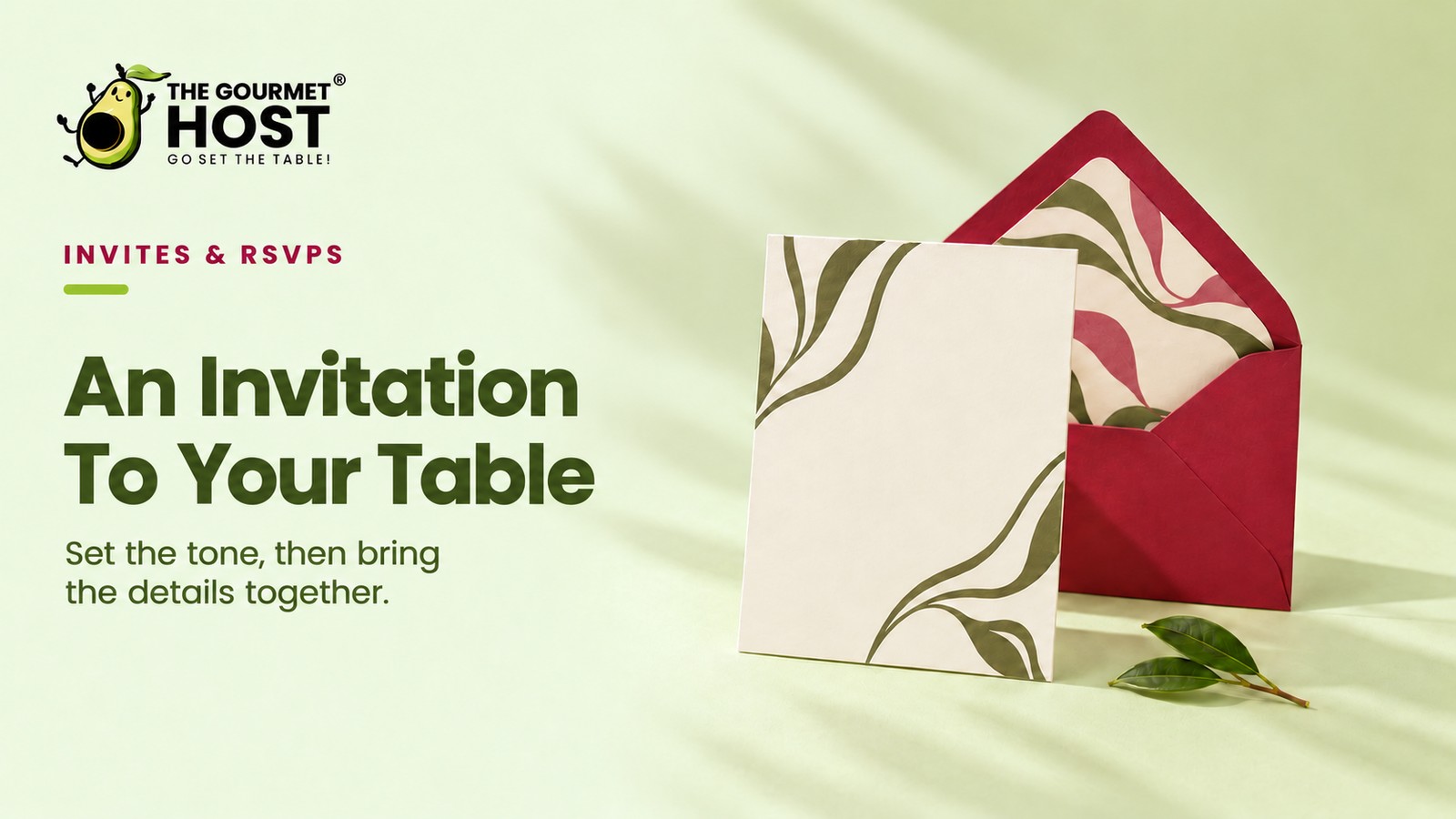
Send customizable electronic designs to lock in your guest list early and finalize your headcount without waiting on the mail.
Forty-eight hours before your dinner party, you finally text a scrambled group thread because you forgot to mail physical cards. That late scramble treats guest coordination as an afterthought rather than the opening note of your event. Each unread message leaves your grocery list hostage to a vague headcount.
The right electronic layout sent on an intentional timeline anchors the gathering, secures your numbers early, and gives guests the details they need to arrive on time.
At a Glance
- Digital save-the-dates require a six to eight month lead time for wedding events.
- Inbox placement testing shows 32 percent of electronic invites land in spam folders.
- Two fonts are the maximum needed for readable mobile layouts.
- Housewarming gatherings need only a one-week notice for a casual headcount.
- QR codes integrated into electronic cards drive guests directly to interactive forms.
Is It Time to Switch to Electronic Delivery?
Relying on disorganized text threads for RSVPs creates confusion. Moving event coordination to Canva digital delivery anchors the gathering with a clear timeline and gives attendees a central place to find the time, location, and dietary requests.
A custom Canva template tracks incoming responses while matching the visual theme of the event. A reliable electronic RSVP system locks the final number down firmly by Wednesday afternoon.
Twelve copy-ready layouts grouped by occasion accompany a delivery schedule that ensures guests actually see the design before they finalize their weekend plans.
Template Selection: Matching the Design to the Gathering
The exact template you select establishes the tone for your gathering. A highly formal layout chosen for a casual brunch confuses guests, while a playful design for a formal dinner undermines the event styling before anyone even arrives.
Sourced guidance from Digital Invitation Design Guide for GTA Parties indicates that customizable electronic cards for standard parties should feature a vertical layout sized specifically for mobile phones.
For massive events with travel requirements, a digital save-the-date card requires a six to eight month lead time, meaning its template must prioritize clear calendar details over elaborate graphics.
Designing a template for a summer dinner party illustrates this customization. Selecting a floral layout with bright typography signals an outdoor evening meal and helps invitees understand the dress code instantly.
Map your chosen typography directly to the event format, shifting toward traditional serif fonts if the menu requires formal table service.
| Event Classification | Typography Style | Visual Palette Focus |
|---|---|---|
| Destination Wedding | Traditional script typography | Muted neutral shades |
| Formal Dinner Party | Heavy serif lettering | Deep metallic accents |
| Adult Milestone | Minimalist sans-serif text | High contrast brights |
| Casual Housewarming | Casual handwriting font | Warm earth tones |
Customizing the response fields guarantees guests log their dietary restrictions. You collect these essential details directly through the digital card before finalizing your shopping list.
Organizing those incoming replies determines your final grocery run.
|
Consolidate Your Shifting RSVPs |
Avoiding the Spam Folder: Essential Delivery Testing
A flawless design accomplishes nothing if it lands in a junk folder. Testing your delivery mechanism guarantees attendees actually receive the link before you start counting on their RSVP.
Inbox placement testing reveals that up to 32 percent of electronic emails land in spam folders and 6.4 percent remain completely undelivered. If you want digital invitations free of watermarks and routing errors, download the raw image file directly. While standard evite digital invitations work well for casual get-togethers, exporting the graphic to send from your own email address guarantees a higher delivery rate.
Bypassing these deliverability traps requires keeping your exported graphics below standard attachment limits to ensure they reach the primary inbox.
| Inbox Placement Outcome | Statistical Probability | Required Action |
|---|---|---|
| Successful Primary Delivery | 61.6 percent | Proceed with standard RSVPs |
| Routed to Spam Folders | 32.0 percent | Export direct image files |
| Completely Undelivered | 6.4 percent | Follow up via text message |
- Send a test copy: Email the final exported image to yourself and one co-host to verify it reaches the primary inbox rather than the promotions tab.
- Check the mobile view: Open the file on your smartphone to ensure the venue address and start time remain readable without requiring you to pinch and zoom.
- Click the links: Tap any embedded registry or map URLs on the layout to confirm they route your attendees to the correct destination.
Completing this brief checklist takes less than five minutes. That small effort saves you from chasing down missing replies.
Once the test clears, you are ready to pick a layout for your dinner party.
Casual Dinner Parties: Customizable Digital Invitation Templates
Relaxed weekend meals demand clean graphics that put the food front and center. Using digital free invitations lets you incorporate personal imagery of the dish you plan to serve without paying for custom printing.
Adding personal photos to a template requires an image file in JPG or PNG format and takes roughly 15 to 20 minutes for a first design. Choose a tight, brightly lit crop of a roasted chicken or a wine pour to set expectations.
Preparing a simple taco Tuesday provides a perfect opportunity to use this style by snapping a quick photo of sliced limes and a margarita glass. Layering a crisp white text box over the dark wooden table area guarantees your event details remain perfectly legible.
Here are two customizable digital template layouts for casual meals:
- The Weekend Roast (Template 1): A bold sans-serif font layered over a dark image filter provides excellent readability. This layout keeps the bottom third of the canvas empty for your date, time, and location blocks.
- Pasta & Pour (Template 2): Split the canvas vertically by dropping a bright pasta photo on the left side. Reserve the right side for a solid background block that holds your minimalist typography and RSVP link.
Centering clean typography directly over your homemade food photography builds immediate anticipation. Your guests know exactly what flavor profile to expect.
Formal gatherings require a sharper aesthetic.
Formal Layouts: Customizing Digital Templates
Elegant multi-course affairs benefit from classic typography that mirrors heavy cardstock. You can achieve this premium feel electronically by choosing muted colors and serif fonts for your customizable digital invitation templates.
Platforms providing paperless post digital invitations offer traditional stationery-style graphic designs suited for formal events. Costs for these platforms accumulate rapidly when inviting large groups. You can recreate this premium look using free customizable digital invitation templates by layering a textured cream background behind charcoal gray text.
Hosting a proper Thanksgiving feast requires this structured approach. Selecting a deep burgundy background tone with a thin gold border instantly communicates that guests should arrive wearing appropriate attire rather than casual jeans.
Apply these layout adjustments to your digital templates for formal events:
- Black Tie Optional (Template 3): Center all text with generous line spacing to mimic a printed card. This ample breathing room isolates the event details on a small mobile device.
- The Holiday Table (Template 4): Frame the edges with a thin gold border to ground the text. A distinct perimeter creates a clear boundary that anchors the central information.
Spacing these words carefully across the screen prevents visual crowding. Ample white space remains the ultimate signature of luxury.
Adult milestone celebrations follow a slightly bolder visual rule.
Adult Birthday Bashes: Customizable Template Designs
Fortieth birthday celebrations require immediate clarity. Guests must know exactly when to arrive and what to wear. Designing effective digital birthday invitations means creating clear visual hierarchy and using customizable templates to avoid overwhelming attendees on mobile screens.
Stack the guest of honor’s name in the largest font, followed by the date, and drop the location to the bottom. For a deeper dive into managing dietary needs for these celebrations, consult these 7 Tips for Birthday Digital Invitations That Wow Guests.
Consider a surprise fiftieth birthday party held at a local steakhouse. The birthday number itself should dominate the top third of the graphic in a thick, metallic font. Hiding the surprise instructions in a smaller, secondary text box directly below means nobody misses the strict arrival window.
Apply this hierarchy directly to your customizable digital formats:
- Milestone Minimalist (Template 5): Use stark black text on a white background with one adjustable color pop. The digital file allows hosts to lock the central image while scaling the text block to fit specific venue details.
- Cocktails & Cake (Template 6): Block the date in a thick neon box to draw the eye immediately. Users can swap the default neon hue for a custom hex code and drag the RSVP button to the very top.
These formats tell the reader exactly what matters first. They eliminate any confusion regarding the evening schedule.
Children’s parties shift the focus toward movement and energy.
|
Hosting Tip: Format Phone Numbers With Periods |
Children’s Birthdays: Animated Invitation Templates
Because kids’ parties thrive on excitement where a static image falls flat, you can add engaging visual effects to your layouts using Canva’s free tier without requiring premium software subscriptions.
Export the final file as a short MP4 video or a GIF. This format allows confetti graphics to fall across the screen or text to bounce into place.
Building an animated dinosaur theme provides a fantastic working example. You place a large green T-Rex graphic in the center and apply a slow pulsing animation to make it appear alive. As the dinosaur moves, bright orange text drops in from the top edge to announce the party timing.
- The Magic Show (Template 7): Set a dark navy background with animated gold stars rotating slowly, keeping an open text box in the center for your custom event details.
- The Space Mission (Template 8): Add a looping video background of moving asteroids with a static text overlay for the exact address and location.
- The Art Studio (Template 9): Include animated paint splatters that appear across the screen before revealing a space for the party schedule.
Delivering these files through a standard text message ensures the animation plays instantly. The moving elements immediately grab a busy parent’s attention.
Short-notice gatherings use a much faster timeline.
Housewarming Invites: Geometric Color Blocks Replace Photography
Moving into a new space rarely aligns with a calm schedule, making simple digital layouts the best fit for casual gatherings. Rely on bright, geometric color blocks that skip custom photography and take under ten minutes to format and export.
Sending digital invitation cards built on this blocky design approach removes the pressure of taking the perfect picture of your home.
If you need help structuring the food for this type of casual flow, check our complete housewarming party planning guide.
Instead of detailed illustrations, you can split a digital canvas into a bright yellow top half and a crisp white bottom half. Dropping a bold, black font over this bright background creates a modern graphic that formats clearly on mobile screens.
- The New Keys (Template 8): Apply a split-complementary color palette like teal and burnt orange across two equal vertical blocks. Place the specific address details in the lighter block.
- The Welcome Mat (Template 9): Divide the canvas with a diagonal line separating a navy blue upper section from a stark white text area.
- The Open Door (Template 10): Frame the edges with a thick mustard yellow border to contain a clean, minimalist typography layout.
You just export the file and start preparing your new kitchen. Sophisticated evening events demand a more formal design approach.
Cocktail Layouts: Embedded Codes for Exact Headcounts
Because a cocktail hour requires precise headcounts to ensure you buy enough ice and spirits, you can integrate interactive QR codes directly into Canva templates to direct attendees to a dedicated RSVP form.
Place the code in the bottom right corner of the graphic with a simple instruction to scan. For more insights on building interactive layouts, review our guide to structuring custom dinner party layouts.
Hosting a structured gin tasting works perfectly with this interactive technology. You generate a free scannable code linking directly to a brief online questionnaire about gin preferences and allergies. Placing this black-and-white square against a dark green background provides enough contrast for any smartphone camera to read it instantly.
- Select an Art Deco border template with locked aspect ratios to prevent distortion on mobile screens.
- Apply a dark background color palette to signal an evening event while keeping the code block white for contrast.
- Drag and drop your generated RSVP square into the designated placeholder corner before downloading the final file.
Scanning technology eliminates the need for attendees to type out long web addresses. They simply point their cameras and confirm their attendance.
Daytime bridal events pivot back to delicate typography.
Bridal Showers: Customizable Templates for Clean Typography
A shower demands a delicate aesthetic that remains readable on small screens. Utilizing customizable digital invitation templates simplifies this process by limiting your typography to two fonts to prevent visual clutter.
Pair a sweeping script font for the bride’s name with a clean serif font for the logistical details. If you are managing multiple wedding events, review these 5 Digital Invitations for Wedding Events to Send. Because wedding invitations digital designs save money on postage, you can allocate those funds toward better wine.
Planning a Sunday morning mimosa bar demonstrates this typography rule perfectly by writing the bride’s first name in a large, flowing script. Every other detail below it uses a standard, highly legible serif typeface so older relatives can easily read the registry link.
Try these customizable digital invitation templates for your shower:
- The Garden Shower (Template 10): A watercolor floral graphic anchors the top left corner. The template locks the script and serif font ratios so your event details never overlap the botanical design.
- Champagne Brunch (Template 11): A blush pink background supports crisp white text for high contrast. The customizable fields restrict your edits to four designated zones, preventing accidental layout changes when adding long registry links.
Limiting your font selections keeps the layout feeling airy and light. While these templates secure the visual aesthetics, selecting the correct digital delivery platform determines whether the files actually reach your guests.
|
Plan Menus Around Your Headcount |
Digital Formats: Customizable Zero-Waste Templates
Since physical cards generate immediate waste the moment the party ends, utilizing customizable electronic templates saves event hosts money on physical paper printing and postage fees while completely eliminating landfill impact.
You can find digital invitations for free that lean into earthy, organic aesthetics to signal the sustainable nature of your event. Use sage greens, textured paper backgrounds, and brown typography.
Organizing a neighborhood garden harvest party fits this sustainable approach beautifully. You simply select a background graphic resembling recycled kraft paper and apply dark olive text to provide deep contrast. This visual styling instantly tells your guests that you prioritize environmental awareness without requiring a single printed page.
- The Earthy Harvest (Template 12): Apply a recycled paper texture overlay to the canvas to provide depth. Dark olive typography ensures clear reading against the textured brown background.
- The Botanical Line Art: Use a minimalist white layout featuring a single continuous line drawing of a native plant. Sage green accent boxes frame the essential venue details.
- The Abstract Collage: Arrange geometric blocks of scanned vintage paper across the digital design. This specific structure creates visual interest while keeping the event schedule readable.
Digital formats allow you to host beautifully without filling up the recycling bin. Every pixel serves a purpose without leaving a footprint.
Handling wedding invitations digital files and party replies requires a solid backend system.
Customization: Matching Digital Templates to the Menu
Choosing a customizable digital invitation template allows you to match the visual style of your dinner party directly to the evening’s menu and mood. Instead of settling for a rigid layout, adjusting the typography and colors builds anticipation for the meal.
For full RSVP tracking instructions once those invitations go out, read our guide to the best apps to send invitations and track your RSVPs.
Working with a flexible design lets you communicate specific details that basic text messages lack. You can adjust the following elements on your digital canvas to clarify the event format:
- Color palette: Selecting two dominant tones that reflect the season sets the visual tone for a 7:00 PM dinner party.
- Typography: Pairing one formal script heading with a 12-point sans-serif font for the location ensures guests can read the address on mobile screens.
- Background imagery: Uploading a high-resolution photo of the featured 750ml wine bottle immediately communicates the focus of a tasting event.
- Layout spacing: Leaving 20 pixels of negative space around the arrival time helps those critical logistics stand out when viewed on small devices.
If these aesthetic choices hint at a formal gathering, the timing of your physical table setting requires that same level of prior planning.
Frequently Asked Questions
How do you track responses on digital invites?
You collect replies by routing guests directly to a central dashboard. Embedding a response link or a scannable graphic on the image file allows attendees to log their dietary restrictions and attendance immediately. Tracking headcounts through a dedicated system prevents messages from getting lost in messy group texts.
What is the best format to send an electronic invitation?
The standard JPEG file provides the most reliable delivery across different smartphones. Saving your layout as a static image ensures the typography remains readable without requiring attendees to download separate software readers. Animated formats work beautifully for casual gatherings but require slightly larger MP4 files.
When should you mail electronic save the dates?
You distribute early calendar notices roughly six to eight months before a major event. Giving attendees a half-year lead time ensures they can request time off work and book travel accommodations before flight prices rise. Local dinner parties require only a three-week window for proper planning.
Can guests reply directly to a digital invitation?
Attendees click embedded links on the graphic to log their attendance instantly. If you deliver a static image through a text thread, recipients simply reply to the message with their response. Adding a clear cutoff date to the layout guarantees you receive those replies before grocery shopping begins.
Should I follow up if someone has not opened their e-vite?
You send a polite reminder roughly five days after the initial delivery. Technology filters occasionally push unknown sender addresses into junk folders. Sending a quick text asking if the link arrived ensures your attendees have the venue details without making them feel pressured to answer immediately.
Is it acceptable to use free templates for formal events?
You achieve a premium aesthetic without spending money by selecting minimalist layouts with classic typography. Layering charcoal gray serif fonts over a textured cream background mimics the weight and formality of expensive cardstock. The design choices matter far more than the platform hosting the file.
Continue Reading:
More On Canvas digital invitations:
- 5 Digital Invitations for Wedding Events to Send
- 8 Birthday Digital Invitations to Customize Today
- 10 Digital Invitations Birthday Hosts Will Love
- 6 Save Date Online Invitations to Lock Calendars
- 8 Digital Graduation Invitations to Download Now
More from The Gourmet Host:
- housewarming party planning
- Custom Dinner Party Invitations: Templates & Ideas
- best apps to send invitations and track your RSVPs
- RSVP Etiquette: 8 Host Rules for Replies and No-Shows
- Paperless Post Alternative: Invitations Built Into Your Party Plan
Explore TGH Categories: