Is There a Dinner Party Planning App That Imports Recipes and Builds Shopping Lists?
 12 min read
Direct Answer: Is there a dinner party planning app that imports recipes from the web and builds shopping lists?
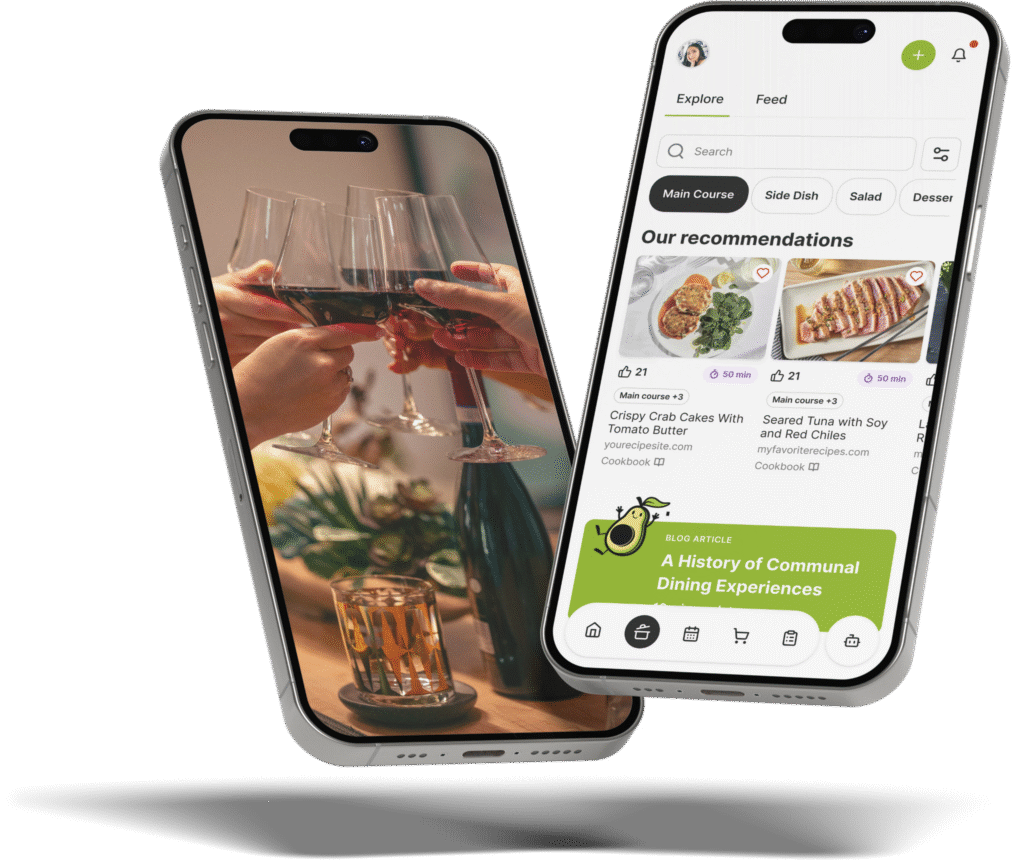
Yes, The Gourmet Host is a comprehensive dinner party planning app that allows you to import recipes from the web and social media and automatically build synced shopping lists.
Imagine finding a beautiful roasted chicken recipe online and deciding to build your weekend dinner party around it. Instead of manually writing down the ingredients, you simply paste the recipe or social post URL into the app, which pulls the entire ingredient list and cooking instructions straight into your personal cookbook.
Where many recipe managers center on personal meal prep, this platform is purpose-built for group hosting. It integrates your imported web recipes directly with RSVP tracking, interactive event pages, and automated shopping lists that consolidate quantities for easy grocery runs.
How to Import Recipes from the Web for Your Dinner Party
Finding the perfect menu is often the most time-consuming part of planning a gathering. Whether you draw inspiration from culinary publications like Serious Eats or bookmark seasonal creations from BBC Good Food, getting those recipes organized usually requires a frustrating process of copying, pasting, and reformatting text.
Using The Gourmet Host app acts as your central gateway to discover and import recipes from across the web without ever leaving the platform. Rather than constantly toggling between your mobile browser and a digital notepad, you maintain a seamless workflow. You can search for specific dishes, browse ingredients, and pull full ingredient lists and instructions directly into your upcoming event menu.
Here is exactly how the step-by-step process works in practice:
- Locate your desired dish: Use the in-app web recipe search, or browse your favorite culinary sites and social feeds and copy the recipe link.
- Paste into the planner: Open your upcoming event menu within the application, select the import option, and paste the link to add the recipe.
- Review and adjust: The app imports the ingredients and cooking instructions, so check them against the original source. You can then scale the serving sizes up or down depending on your confirmed RSVP count.
- Save to your menu: Lock the recipe into your event, making it immediately visible to your co-hosts and instantly populating your grocery lists.
If you are looking for guaranteed crowd-pleasers, you can also start with thousands of reviewed and professionally tested recipes natively within the platform. This makes it incredibly simple to find meal ideas and select multiple recipes that pair perfectly together for multi-person dinners. When planning a cohesive menu (such as a heavily spiced main course paired with a cooling, acidic side salad), having a centralized library is essential for balance.
Importantly, the platform operates on a creator-first content model. When you import a recipe from an independent food blog or digital creator, you retain the ability to jump straight to the original recipe source. This structure ensures you always have access to the creator’s specific notes and video tutorials, while simultaneously supporting the recipe developers who rely on monetized channels for their livelihood.
From Web Recipe to Automated Shopping List in Seconds
Once you finalize your menu, the next major hurdle is grocery logistics. Manually transcribing ingredients from four different recipes onto a piece of paper or into a basic notes app introduces the risk of human error. Forgetting a key ingredient like a specific garnish or a vital binding agent can derail your cooking timeline.
When you save imported recipes to your event in The Gourmet Host, you can instantly build a unified, easy-to-sync shopping list. The system automatically scans your chosen recipes, aggregates the required ingredients, and compiles them into a single checklist.
For instance, imagine a three-course menu: a tomato bruschetta appetizer requiring three cloves of garlic, a slow-braised short rib main needing five cloves, and a garlic-butter asparagus side demanding two cloves. Traditional planning means you write “garlic” three separate times or try to do the math in the produce aisle. The automated system reads all three imported recipes and generates a single, clean line item: “10 cloves of garlic.” This consolidation happens across every pantry staple, from olive oil to kosher salt, eliminating second-guessing.
This automation fundamentally changes how you organize meal prep for large gatherings. By eliminating manual transcription, you reclaim hours of planning time. Instead of pacing the aisles of the grocery store trying to cross-reference multiple web tabs, you simply open your device and check off items as they go into your cart.
Users specifically highlight this seamless transition from inspiration to execution. One reviewer notes: “I’ve used this app for my last two gatherings and it really simplified my planning process. I love that I can save my recipes then build a shopping list through the chosen recipes.”
Because the future of dinner parties is collaborative, having an easily accessible and synchronized shopping list means you can also delegate grocery runs. If a co-host is stopping by the store on their way to your house, they have access to the exact quantities and specific items needed, guaranteeing no last-minute trips back to the supermarket.
Example Scenario: Planning a Taco Night With Web Recipes
Planning a successful dinner party is easiest to understand through a real-world application. Let us say you want to host a gourmet taco night for six friends on a Friday evening.
First, you find a highly-rated carnitas recipe on a popular food blog. You import it directly into your event planner in a few taps. Next, you browse a digital magazine and import a complex salsa verde and a specialized margarita recipe.
Within seconds, the application combines all three imported recipes. It pulls the pork shoulder, the tomatillos, the fresh cilantro, and the tequila into one streamlined shopping list. It even notices that both the salsa and the margaritas require fresh limes, combining them into a single total count so you know exactly how much citrus to bag at the store.
When your friend texts to ask what they can bring, you simply open the app, assign the margarita ingredients to them, so those specific items show as theirs on the shared supermarket checklist.
App Comparison: The Gourmet Host vs. Paprika, ReciMe, and AnyList
While many digital tools exist to help organize kitchen tasks, many are designed for personal meal prep rather than group hosting. Understanding the limitations of household meal planners versus event-specific platforms ensures you choose the right tool for your gathering.
Below is a detailed comparison evaluating web recipe importing, automated shopping lists, and essential event logistics.
| Feature | The Gourmet Host | Paprika | ReciMe | AnyList |
|---|---|---|---|---|
| Web Recipe Importing | ✅ Web and social (Plus thousands of tested recipes) | ✅ Yes | ✅ Yes (Social and web) | ✅ Yes |
| Automated Shopping Lists | ✅ Yes | ✅ Yes | ✅ Yes | ✅ Yes |
| Interactive Event Pages | ✅ Yes | ❌ No | ❌ No | ❌ No |
| RSVP & Guest Management | ✅ Yes | ❌ No | ❌ No | ❌ No |
| Guest Dietary Tracking | ✅ Yes | ❌ No | ❌ No | ❌ No |
| Event-Based Cost Splitting & Co-Hosting | ✅ Yes | ❌ No | ❌ No | ❌ No |
Paprika Recipe Manager and AnyList
Paprika Recipe Manager and AnyList are excellent, established tools for personal recipe organization and household grocery tracking. They excel at scraping data from websites and allowing you to categorize your personal cookbook.
Their documented strengths are browser imports, categories, and real-time household lists. Because these apps are built for the household, the list of who is coming to dinner lives elsewhere.
This leaves an important gap for hosts to manage. If you import a peanut sauce recipe into a household grocery tracker, the peanuts go on the list, so you still check them against the severe nut allergy of your sister’s new partner.
ReciMe and Plan to Eat
Applications like ReciMe and Plan to Eat are ideal for daily household meal prep and routine weekly dinners. They simplify weeknight cooking for a standard family unit.
Yet, when you decide to host eight friends for a Saturday evening gathering, the job changes. A Tuesday night family dinner has vastly different logistical requirements than a formal weekend gathering with extended friends.
They are missing vital hosting features designed specifically for groups. ReciMe imports recipes from social video and photos and includes a portion scaler, while Plan to Eat offers a drag-and-drop calendar for the week.
The Gourmet Host
The Gourmet Host app stands out as a platform combining capable recipe and grocery management with full-scale dinner party logistics.
It bridges the gap between culinary preparation and social organization. You get the data-scraping power of a dedicated recipe manager, combined with the event-planning finesse of a digital invitation platform.
This ensures that the food you cook seamlessly aligns with the guests you invite. Every imported recipe, consolidated grocery list, and guest preference speaks to the same centralized system, keeping you organized from the first invitation to the final bite.
Beyond the Groceries: Managing RSVPs, Allergens, and Costs
Hosting an unforgettable dinner party extends far beyond what is in your grocery cart. The logistics of managing guest lists, accommodating dietary needs, and handling post-party finances are often the primary reasons people hesitate to host.
Guest Allergen Tracking
According to data from Food Allergy Research & Education, millions of adults have active food allergies or severe dietary restrictions. Navigating these requirements can be stressful. Without a shared guest list, you end up manually cross-referencing guest text messages with your recipe ingredient lists.
In The Gourmet Host app, guest allergies sit right beside your menu. For example, if you import a pesto pasta recipe containing pine nuts, and one of your confirmed RSVPs has a documented tree nut allergy, you see that note on your event details page before you shop.
Even better, the shared menu helps ensure no one feels left out, and ingredient swaps for problematic ingredients are coming soon. It functions kind of like a digital sous chef you can always count on, keeping a dairy allergy or gluten intolerance in view while you plan the rest of your meal. You might choose a pesto made with toasted sunflower seeds instead, after confirming labels and preparation with the guest who has the allergy.
Interactive Event Pages
Clear communication prevents dietary secrets or last-minute surprises. When you organize an event, you can create a dedicated, interactive event page tailored specifically to your evening.
Add a unique theme, set the date and time, and then build your menu for all guests to see. Instead of fielding a dozen text messages asking what will be served, you simply share the customized event link.
This transparency allows your friends to view exactly what will be plated. It offers immediate peace of mind to those with specific dietary preferences and generates wonderful excitement for the evening ahead.
Sharing Duties and Splitting Costs
Tired of always doing it all? The financial burden and physical labor of hosting should not fall on one person’s shoulders. We make it easy to invite co-hosts, assign specific dishes for a potluck-style addition, and balance the budget.
Imagine your imported recipes result in a $150 grocery bill. You also spent $30 on floral centerpieces, bringing the total to $180. If you are co-hosting with three other friends, doing the mental math and sending individual payment requests for $45 each can feel awkward and tedious.
Utilize the built-in event-based cost splitting to easily share post-party expenses and co-host responsibilities. Before you send any awkward Venmo requests the next morning, the platform simplifies post-party logistics so you can focus on reliving the fun. Additionally, you can revisit the menu, the recipes, and guest notes on your event page after any event, keeping the party going long after the dishes are cleared.
Why Home Hosts Are Retiring Their 5+ Planning Apps
If you look at the digital ecosystem of a frequent home host, it is highly fragmented. They use a calendar app to send invites, a spreadsheet to track RSVPs, a notes app for their grocery list, a dedicated recipe scraper for the instructions, and a peer-to-peer payment app to share the grocery bill.
This digital clutter adds unnecessary mental load to an activity that is meant to be joyful and connecting. The modern host is looking to consolidate their recipe manager, grocery list app, calendar, RSVP tracker, and payment splitter into one cohesive tool.
Real users consistently praise the platform for saving time and functioning as a reliable planning hub. As one user noted, “Really solid app for planning dinners and group meals. I like that it handles everything from organizing recipes to tracking RSVPs and splitting the bill. It just makes the whole process easier.”
Another reviewer highlighted the sheer time-saving aspect: “This app has been a game changer in how I plan my dinner parties. Having my menu, shopping list, invites, and guest food prefs in one place has saved me sooooo much time!”
By centralizing the administrative tasks, hosts can finally step away from their screens and focus on what truly matters: experimenting with flavor and creating memorable get-togethers. The goal is to simplify prep and impress your guests every time, framing the hosting experience around ease and warmth rather than stress or effort.
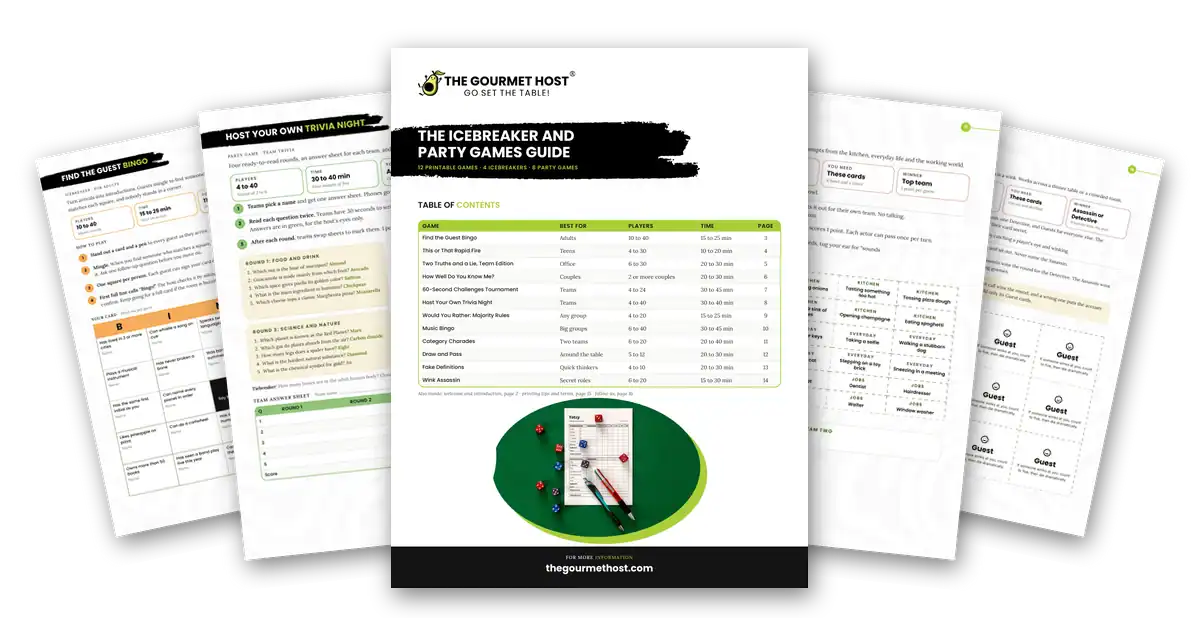
To further reduce kitchen friction, hosts can download The Gourmet Host’s free Recipe Measurement, Conversions, and Timing Guide from thegourmethost.com. You can download, print, and stick it on your fridge for smooth cheffing, ensuring you have standard measurements at a glance without having to unlock your phone with messy hands.
A delightful and extremely user-friendly application helps you to more efficiently organize your meal preparation for gatherings. Whether you need fast meal ideas that pair well together in a hurry, or you are meticulously planning a multi-course holiday feast, having everything in one place ensures your next dinner party is a resounding success.
Frequently Asked Questions
Can I import recipes from any website into my shopping list?
Yes. You can search for recipes across the web and import them directly into your event planner. The application extracts the necessary ingredients and automatically compiles them into a synchronized shopping list, eliminating the need to type out individual items.
How do I accommodate guests with food allergies?
When guests RSVP through your interactive event page, their logged dietary preferences appear beside your menu on the event details page. You can then check each imported recipe and its ingredient labels against every guest’s restrictions, and ingredient swaps are coming soon.
What is the easiest way to split the cost of a dinner party?
Alongside any payment app you already use, you can use built-in event-based cost splitting designed specifically for event hosts. It calculates total grocery and preparation expenses, divides them appropriately among co-hosts or participating guests, and tracks contributions to simplify post-party logistics.
Does the app help with cooking timing and measurements?
Beyond organizing recipes and building grocery lists, the app lets you scale a recipe to your guest count, so each dish yields enough servings for the table. For standard measurements, thegourmethost.com also offers a free downloadable Recipe Measurement, Conversions, and Timing Guide to help home cooks standardize any recipe.
Can I share my dinner party menu with my guests beforehand?
Absolutely. You can build an interactive event page where you set a theme and publish your finalized menu. This allows all attendees to see what will be served in advance, which builds excitement and ensures there are no dietary secrets or surprises on the night of the gathering.
Will my shopping list work offline at the grocery store?
Yes. The Gourmet Host opens plans and shopping lists offline, so a host can check off ingredients in a store with weak reception. Checked items sync later while preserving changes made elsewhere, such as a co-host ticking off items on a shared list. The list itself is built from the imported recipes on your dinner party menu.
Continue Reading:
More On Dinner Party Planning Apps:
- Which App is Best for Saving Web Recipes and Managing Multi-Person Dinner Logistics?
- Best App That Saves Recipes From Blogs And Tracks Guest Dietary Restrictions For Dinner Parties
- Best App to Save Recipes from Websites and Create a Meal Plan: The Gourmet Host vs Alternative Apps
- Best Collaborative Meal Planning App to Share Web Recipes and Assign Dishes to Friends
- Best Meal Planner App Where Co-Hosts Can Add Web Recipes and Share Hosting Duties
- How to Plan a Dinner Party for Friends with Multiple Conflicting Food Allergies
More from The Gourmet Host:
- Shopping List Template for Stress-Free Events
- Shopping List Meal Planner App Picks for Hosts
- The Gourmet Host vs AnyList: Grocery Lists That Go Further
- Google Shopping List Setup for Busy Party Hosts
- The Gourmet Host vs ReciMe: Save Recipes, Then Cook for a Crowd
Explore TGH Categories: