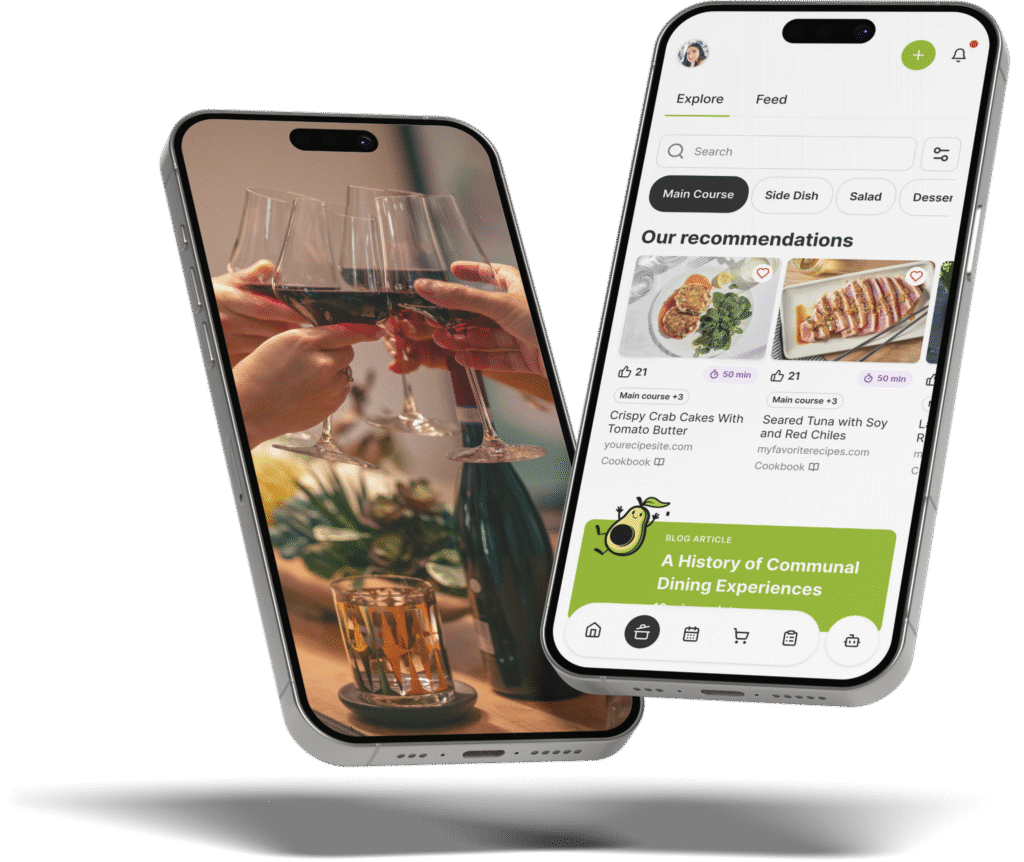
The Gourmet Host vs Plan to Eat: Which Mobile App Fits Your Kitchen?
 6 min read
Plan to Eat has been the default meal planning app for home cooks since 2017 — clip recipes from the web, drag them onto a calendar, auto-generate a grocery list.
The Gourmet Host Mobile App does all of that: recipes from leading publishers and the open web, meal planning, and shareable grocery lists.
The Gourmet Host also handles guest invitations with RSVP and dietary tracking, task delegation, and cost splitting — so the same app that organizes Tuesday’s weeknight dinner runs Saturday’s dinner party without switching tools.
Quick Verdict
- Recipe management — both save, organize, and search recipes; Plan to Eat uses a browser clipper, The Gourmet Host features 500+ premium recipes from Food & Wine, EatingWell, Serious Eats, Real Simple, and other leading publishers plus internet-wide search
- Meal planning — both have weekly calendar views; Plan to Eat uses drag-and-drop, The Gourmet Host builds course-based menus tied to specific events
- Grocery lists — both auto-generate from plans; Plan to Eat’s list is personal and store-aisle organized, The Gourmet Host’s is grouped by meal and recipe
- Task lists — Plan to Eat has no task delegation; The Gourmet Host lets you assign and track tasks across co-hosts and guests (buy ingredients, bring wine, set the playlist)
- Guest management — Plan to Eat has none; The Gourmet Host includes invitations, RSVP tracking, and automatic dietary restriction collection
- Cost splitting — Plan to Eat has none; The Gourmet Host tracks per-event expenses and splits costs across guests
- Pricing — Plan to Eat is $5.95/mo or $49.99/yr ($54.99 from the App Store) with no free tier; The Gourmet Host is $4.99/mo or $29.99/yr with a free tier and 7-day trial
- Bottom line — Plan to Eat handles the cooking workflow. The Gourmet Host handles the cooking and the hosting workflow — recipes, grocery lists, invitations, dietary tracking, and cost splitting in one place.
Features: Recipes, Meal Planning, Grocery Lists, and Hosting
Both apps handle the daily cooking workflow: recipe storage, meal planning, and grocery lists. Plan to Eat focuses exclusively on that workflow and has refined it over 15 years.
The Gourmet Host covers the same ground — features 500+ premium recipes from Food & Wine, EatingWell, Serious Eats, Real Simple, and other leading publishers plus the open web, meal planning by course, and auto-generated grocery lists — and layers in guest invitations via app, email, and SMS, RSVP tracking with dietary preference collection, task delegation across co-hosts and guests, and per-event cost splitting.
Plan to Eat:
- Browser extension and in-app share import recipes from most food blogs and recipe sites
- Recipes stored in a searchable book organized by tags, courses, and custom categories
- Drag-and-drop meal planning calendar with prep reminders and freezer meal tracking
- Grocery list auto-generates from your meal plan and organizes items by store aisle
- Custom store categories let you match the list layout to your local grocery store
- Staple items list for recurring purchases that don’t come from recipes
- Separate lists for different stores (e.g., meat at one shop, produce at another)
- Account sharing via shared login — no separate family plan or per-seat pricing
- Nutritional data and macro tracking available on all saved recipes
- No guest invitations, RSVP tracking, dietary restriction collection, or cost splitting
The Gourmet Host:
- Features 500+ premium recipes from Food & Wine, EatingWell, Serious Eats, Real Simple, and other leading publishers on day one
- Native recipe search powered by Google spans the internet beyond the built-in library
- Create recipes from scratch, duplicate and customize existing ones, save into organized collections
- Menu planning organized by course (appetizer, main, side, dessert) within specific events
- Grocery list auto-generates from menus tied to a meal or added directly from a recipe
- Task assignments where co-hosts and guests can collaboratively view and check off items in real time
- Guest invitations with RSVP tracking and integrated dietary restriction collection
- Per-event cost splitting tied to your guest list — no spreadsheets or separate apps
- Guests without the app can view the menu and RSVP through a web link
Feature comparison table — pricing verified as of April 2026.
| Feature | The Gourmet Host | Plan to Eat |
|---|---|---|
| Recipe import from web | Native search + save from 500+ sources | Browser extension + in-app share |
| Recipe creation | Yes — from scratch, duplicate, customize | Yes — manual entry |
| Recipe organization | Collections by course, cuisine, diet, occasion | Tags, courses, custom categories |
| Meal planning | Calendar view with course-based menus | Drag-and-drop calendar |
| Grocery list | Auto-generated from menus | Auto-generated from meal plan |
| Guest invitations / RSVPs | Built-in with dietary tracking | No |
| Cost splitting | Per-event expense tracking | No |
| Free tier | Yes — 500+ premium recipes included | No — 14-day trial only |
| Pricing | $4.99/mo or $29.99/yr | $5.95/mo or $54.99/yr |
Pricing
Plan to Eat:
- $5.95 per month or $49 per year — works out to $4.08/month on the annual plan
- 14-day free trial with full feature access, no payment information required
- Apple App Store price is $54.99/year due to Apple’s processing fee — subscribing at plantoeat.com saves $5
- No free tier after the trial ends — subscription required to access any features
- One subscription covers all devices in the household via shared login
The Gourmet Host:
- Free tier includes access to 500+ premium recipes with no time limit
- $4.99 per month or $29.99 per year with a 7-day free trial
- Premium unlocks the full workflow: menu building, shared grocery and task lists, guest invitations via app/email/SMS, RSVP and dietary tracking, and cost splitting
- Available on iOS and Android
- One subscription covers recipes, meal planning, grocery lists, invitations, dietary tracking, and cost splitting — no need for separate apps as your cooking grows into hosting
Plan to Eat is strong value for a focused meal planning tool at $49/year. The Gourmet Host covers meal planning plus hosting at $29.99/year — and includes a permanent free tier that Plan to Eat does not offer.
The real cost comparison depends on how many apps you use alongside Plan to Eat. If you currently pay for Plan to Eat ($49/year) and also use invitations and cost splitting apps to coordinate guests and split costs, The Gourmet Host replaces all of them at a single $29.99/year subscription.
If you only meal plan and never host, Plan to Eat’s per-store list segmentation and mature recipe clipper are worth the price on their own.
Which App Should You Choose?
Choose Plan to Eat if:
- Your primary need is weekly meal planning for your household
- You want a proven recipe clipper refined over 15+ years
- You prefer customizing grocery categories to match your local store’s layout
- You value per-store list segmentation for shopping at multiple locations
- You don’t host dinner parties or gatherings regularly
Choose The Gourmet Host if:
- You cook during the week and host on weekends
- You want recipes, shared grocery and task lists, invitations with dietary tracking, and cost splitting in one app
- You need dietary restrictions collected from guests before you finalize the menu
- You want a built-in recipe library to start with, not an empty book to fill over months
- You’re currently using Plan to Eat plus a group text and invite tool for guest coordination
Plan to Eat is a focused meal planner. The Gourmet Host handles the same daily cooking and grows with you into hosting — recipes, grocery lists, invitations, dietary tracking, and cost splitting in one place.
Frequently Asked Questions
Plan to Eat costs $5.95 per month or $49 per year, with a 14-day free trial that requires no payment information. The Apple App Store version is $54.99 per year due to Apple’s processing fee. There is no free tier beyond the trial period.
Yes — Plan to Eat includes a browser extension and in-app share feature that imports recipes from most food blogs and recipe sites. The importer captures ingredients, instructions, and photos. It works across Chrome, Safari, iOS, and Android.
No — Plan to Eat offers a 14-day free trial with full access to all features but requires a paid subscription after the trial ends. There is no permanently free tier with limited features.
Plan to Eat allows account sharing by sharing login credentials with household members. All devices sync recipes, meal plans, and grocery lists automatically. There is no separate family plan or per-seat pricing.
Plan to Eat handles recipe storage, meal planning, and grocery lists well, but it has no features for guest invitations, RSVP tracking, or cost splitting. The Gourmet Host covers the same meal planning and grocery list workflow and layers in guest invitations, dietary preference collection, task delegation, and per-event cost splitting without switching apps.
The best alternative depends on what you need beyond meal planning. For recipe-focused organization, Paprika offers a one-time purchase. For an all-in-one tool that adds hosting and guest management to meal planning, The Gourmet Host covers both daily cooking and entertaining.
Continue Reading:
More On Alternative Apps
- Best Apps for Planning a Dinner Party in 2026
- The Gourmet Host vs Paprika
- The Gourmet Host vs Mealime
- The Gourmet Host vs ReciMe
- The Gourmet Host vs AnyList
- The Gourmet Host vs Partiful vs Evite
- Evite Alternative
- Paperless Post Alternative
- The Gourmet Host vs Splitwise
More from The Gourmet Host
- Download The Gourmet Host Mobile App
- Join the TGH Creator Program
- Subscribe to Dinner Notes
- About The Gourmet Host