The Gourmet Host vs Splitwise: Split Costs Without a Second App
 11 min read
Splitwise is the default app for splitting shared expenses. With over 100 million downloads, support for more than 100 currencies, and integrations with Venmo and PayPal, it handles the math of who owes what across roommates, travel groups, and friend circles. For ongoing expense tracking over weeks and months, it is the category standard.
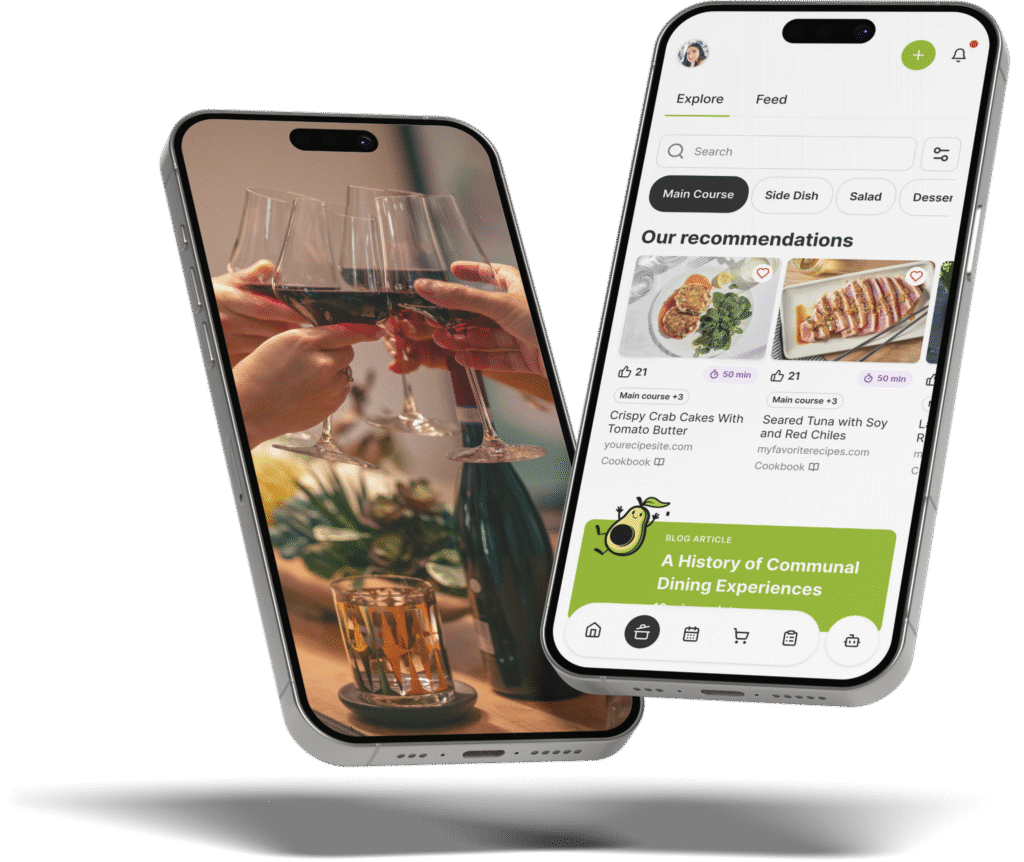
The Gourmet Host Mobile App includes cost splitting too—per-event expense tracking tied directly to your guest list, with line items and splitting across attendees—featuring 500+ premium recipes from Food & Wine, EatingWell, and Serious Eats, menu planning by course, invitations via app, email, and SMS, and one-tap grocery list generation.
The difference is what each app is built around. Splitwise is designed for ongoing expense tracking with a consistent group—rent, utilities, travel.
The Gourmet Host is designed for single-event hosting where the guest list, the menu, and the grocery purchases are already in the app when it comes time to split costs. No manual group setup, no re-entering what you spent, no exporting data to a separate tool.
Quick Verdict
- Expense tracking — Splitwise maintains running balances across groups over time with categories, notes, and recurring expenses. The Gourmet Host tracks per-event expenses with line items tied to a specific gathering.
- Receipt scanning — Splitwise Pro includes receipt scanning that extracts line items for assignment to individuals. The Gourmet Host does not currently offer receipt scanning.
- Group management — Splitwise uses persistent groups designed for roommates, couples, and travel companions. The Gourmet Host uses per-gathering guest lists built from invitations and RSVPs.
- Payment integration — Splitwise integrates with Venmo, PayPal, and other payment services for in-app settlement. The Gourmet Host tracks costs but does not connect to payment services.
- Menu planning — Splitwise has no menu planning, recipe, or grocery list features. The Gourmet Host offers course-level menus, 500+ premium recipes, internet-wide search, and one-tap grocery lists.
- Guest invitations — Splitwise has no invitation or RSVP features. The Gourmet Host sends invitations via app, email, and SMS, and automatically collects dietary preferences from guests.
- Pricing — Splitwise offers a limited free tier (3–5 expenses per day, ads) and Pro at approximately $4.99/month or $40/year (as of April 2026). The Gourmet Host offers a free tier with 500+ premium recipes, $4.99/month, or $29.99/year with a 7-day free trial.
- Bottom line — Splitwise is built for ongoing expense tracking with roommates and travel groups. The Gourmet Host handles dinner party cost splitting as part of the hosting workflow—recipes, grocery lists, invitations, dietary tracking, and cost splitting in one place.
How the Features Compare
Splitwise and The Gourmet Host solve cost splitting from opposite directions. Splitwise starts with the expense and works backward—who paid, how much, split it across a group. It is optimized for repeated transactions with the same people: monthly rent, shared groceries, a week-long vacation.
The Gourmet Host starts with the event and works forward—build a guest list, plan a menu, generate a grocery list, track what you spent, and split the costs across the people who came. The expense data is already connected to the gathering rather than entered after the fact into a standalone ledger.
Splitwise: Ongoing Group Expense Tracking
- Running group balances — tracks who owes whom across persistent groups with a simplified debt graph that reduces the number of transactions needed to settle up
- Receipt scanning — Pro feature that photographs a receipt and extracts line items for assignment to individual group members
- Currency conversion — converts expenses across 100+ currencies using current exchange rates (Pro)
- Spending charts — category-level spending breakdown with trends over time (Pro)
- Payment integration — settle debts directly through Venmo, PayPal, and other services
- Bank card linking — connect a credit or debit card to see recent purchases and split with a tap (US only, Pro)
- Free tier limits — 3–5 expenses per day with a cooldown timer between entries; ads displayed in the free version
- Requires group setup — each participant needs a Splitwise account; groups must be created and members added before expenses can be logged
- No hosting features — no menu planning, recipe management, grocery lists, guest invitations, RSVP tracking, or dietary collection
The Gourmet Host: Event-Based Cost Splitting
- Per-event expense tracking — add expense line items tied to a specific gathering—groceries, wine, decorations, rentals
- Cost splitting across guests — split costs across attendees from your guest list; no separate group setup required
- Connected to the hosting workflow — your guest list, menu, and grocery purchases are already in the app when you split costs
- Publisher recipe library — 500+ premium recipes from Food & Wine, EatingWell, Serious Eats, and more, plus internet-wide search
- Menu assembly by course — build multi-course menus with event types (dinner party, brunch, potluck, supper club)
- One-tap grocery lists — turn any menu into an organized shopping list
- Guest invitations — send invitations via app, email, or SMS with RSVP collection and automatic dietary preference capture
- Task delegation — assign tasks to co-hosts or guests: buy wine, set the playlist,
| Feature | The Gourmet Host | Splitwise |
|---|---|---|
| Expense tracking | Per-event line items tied to guest list | Running balance across groups over time |
| Receipt scanning | Not available | Yes — Pro only, with item assignment |
| Group management | Guest list per gathering with invitations | Persistent groups (roommates, trips, etc.) |
| Payment integration | Not currently available | Venmo, PayPal, and other services |
| Menu planning / recipes | Yes — 500+ premium recipes + web search | Not available |
| Guest invitations | Yes — app, email, SMS with RSVP + dietary tracking | Not available |
| Grocery list generation | One-tap from any menu | Not available |
| Pricing | Free tier / $4.99/mo / $29.99/yr | Free (limited) / Pro ~$4.99/mo or ~$40/yr |
Pricing
Splitwise: Free + Pro
- Free tier — limited to 3–5 expenses per day with a cooldown timer; ads displayed throughout the app
- Splitwise Pro — approximately $4.99/month or $40/year (pricing varies by region; as of April 2026)
- Pro features — unlimited daily expenses, receipt scanning with item assignment, currency conversion, spending charts, bank card linking (US only), ad-free experience, and early access to new features
- All participants need accounts — each person in a group must create a Splitwise account to view balances and settle debts
- Available on iOS, Android, and web — full web app for managing expenses from a browser
The Gourmet Host: Free + Premium
- Free tier — browse and save from a library of 500+ premium publisher recipes at no cost
- Premium monthly — $4.99/month with a 7-day free trial
- Premium annual — $29.99/year with a 7-day free trial
- Premium features — menu building, guest invitations via app/email/SMS, RSVP and dietary tracking, shared grocery and task lists, task delegation, and cost splitting
- Available on iOS and Android — download from the App Store and Google Play
At comparable monthly rates (~$5/month), Splitwise Pro unlocks powerful ongoing expense tracking with receipt scanning and bank card linking.
The Gourmet Host Premium at $4.99/month or $29.99/year unlocks cost splitting plus the entire hosting workflow. The question is not which app is cheaper—they are priced similarly—but which problem you are solving.
For ongoing expense tracking with roommates, travel groups, or friends who split bills regularly, Splitwise is an honest recommendation—it is purpose-built for that use case and has the largest user base in the category.
For dinner party cost splitting specifically, The Gourmet Host eliminates the manual setup because your guest list, menu, and grocery purchases are already in the app. Hosts who currently use Splitwise after dinner parties are re-entering data that already exists somewhere else—The Gourmet Host keeps it connected from the start.
Which App Should You Choose?
Choose Splitwise if:
- You track ongoing shared expenses with roommates, partners, or housemates over weeks and months
- You travel with groups and need multi-currency expense tracking with running balances
- Receipt scanning and automatic line item assignment are important to your workflow
- You want to settle debts directly through Venmo, PayPal, or other payment services inside the app
- You do not need menu planning, grocery lists, or guest invitations alongside cost splitting
- Your group already uses Splitwise and switching would create friction
Choose The Gourmet Host if:
- You host dinner parties, brunches, or potlucks and want cost splitting connected to your guest list and menu
- You want one app that handles the full hosting workflow—recipes, grocery lists, invitations, dietary tracking, and cost splitting
- You want to delegate tasks to co-hosts or guests rather than managing everything yourself
- You want per-event expense tracking that does not require every guest to create an account in a separate app
- You want 500+ premium recipes and internet-wide search alongside your hosting tools
Splitwise is built for ongoing expense tracking with roommates and travel groups—a different problem than splitting dinner party costs after a single event.
The Gourmet Host does cost splitting as part of the hosting workflow, and also does recipes, menu planning, shared grocery and task lists, invitations, and dietary tracking—so your dinner party expenses are already connected to your guest list, your menu, and your grocery purchases without manual data entry into a separate app.
Frequently Asked Questions
Is Splitwise free?
Splitwise offers a limited free tier with a cap of 3 to 5 expenses per day and a cooldown timer between entries. Ads are displayed in the free version. Splitwise Pro (approximately $4.99/month or $40/year) removes limits and ads, and adds receipt scanning, currency conversion, and spending charts.
How does Splitwise make money?
Splitwise makes money through a freemium model: the free tier caps users at 3 to 5 expenses per day and shows ads, pushing people toward Splitwise Pro. Pro costs approximately $4.99 per month or $40 per year and unlocks unlimited expenses, receipt scanning, currency conversion, spending charts, and an ad-free experience. Splitwise does not sell user data.
Can Splitwise scan receipts?
Yes, Splitwise Pro includes receipt scanning. The feature photographs a physical receipt, extracts individual line items automatically, and lets you assign each item to a specific group member for splitting. Receipt scanning is not available on the free tier; it requires an active Pro subscription at approximately $4.99 per month.
Is Splitwise good for dinner parties?
Splitwise can track dinner party expenses, but it requires manual setup: creating a group, entering expenses individually, and assigning payers after the event. The Gourmet Host ties cost splitting directly to the guest list and menu you already built in the app, so there is no manual data entry after the party. Expenses flow from the planning you already did.
What is the best Splitwise alternative?
For ongoing roommate expenses, Splid and SettleUp offer strong free alternatives. For dinner party cost splitting specifically, The Gourmet Host includes expense tracking within the hosting workflow. Your costs are already connected to your guest list and menu without manual entry.
Can I split dinner party costs without Splitwise?
Yes. The Gourmet Host includes cost splitting as part of the hosting workflow. Because your guest list, menu, and grocery purchases are already in the app, splitting costs after a dinner party requires minimal additional input compared to manually entering expenses into a standalone splitting tool.
Continue Reading:
More On Alternative Apps
- Best Apps for Planning a Dinner Party in 2026
- The Gourmet Host vs Plan to Eat
- The Gourmet Host vs Paprika
- The Gourmet Host vs Mealime
- The Gourmet Host vs ReciMe
- The Gourmet Host vs AnyList
- The Gourmet Host vs Partiful vs Evite
- Evite Alternative
- Paperless Post Alternative
Explore TGH Categories
- Set the Scene
- Drinks and Bar
- Plan the Meal
- Engage with Guests
- Games and Toasts
- Tools and Techniques
- Why We Gather